
Ever wished you could turn a slow ballad into a dance hit or give your favorite song a fresh jazz, lo-fi, or EDM vibe? In the past, remixing required professional DAWs, advanced production skills, and hours of manual editing. For most people, the learning curve was too steep.
Today, AI song remixers have changed that. With just a few clicks, they can transform existing music into new styles, moods, or arrangements without requiring advanced production skills.
As AI music creation becomes increasingly popular, more remix generators are entering the market. But not all of them produce realistic, studio-quality results.
In this guide, we've selected the 6 best AI song remixer tools and compared them based on what matters most: remix quality, genre transformation, ease of use, creative control, export options, and overall value. Whether you're producing music, creating content, or preparing DJ sets, this guide will help you find the right AI remixer to create better remixes in less time.
Benefits of Using AI Remix Tools
AI song remixers aren't just faster than traditional music production — they make remixing accessible to anyone. Instead of spending hours inside complex DAWs adjusting BPM, matching keys, separating stems, and mixing tracks, you can focus on the creative side while AI handles much of the technical work. Here are three reasons why more musicians, creators, and DJs are making AI part of their workflow.
1. Create Professional-Quality Remixes in Minutes: Traditional remixing can take hours or even days, especially when changing a song into a completely different genre. AI automates tasks like style transformation, tempo matching, and vocal separation, allowing you to generate multiple remix ideas in minutes. That means less time editing and more time experimenting with new sounds.
2. No Advanced Production Skills Required: Professional software like Ableton Live or FL Studio can be intimidating for beginners. AI song remixers remove much of the learning curve by letting you describe the style you want instead of manually adjusting dozens of production settings. Even first-time users can create polished remixes without mastering audio engineering.
3. Get More Value From Every Song: One song doesn't have to stay in a single version. AI makes it easy to create lo-fi, EDM, acoustic, instrumental, or social-media-friendly edits from the same track. Whether you're an independent artist releasing alternate versions, a DJ preparing new sets, or a content creator producing music for different platforms, you can create more content, reach wider audiences, and maximize the value of every song with far less effort.
How We Evaluated These AI Song Remixers
With so many AI song remixers on the market, it's easy to be swayed by long feature lists and bold marketing claims. In reality, the best AI song remixer isn't necessarily the one with the most features. It's the one that creates natural-sounding remixes, preserves your original song, and fits your creative workflow.
To make our recommendations as practical as possible, we evaluated every AI song remixer based on the criteria that matter most to real users:
Remix quality — How natural, polished, and professional the final remix sounds.
Style transformation — Whether the AI can genuinely recreate different genres instead of simply changing the tempo or adding effects.
Melody & structure preservation — How well the tool keeps the original melody, chords, and overall song identity intact.
Creative controls — How deeply you can reshape the song. The best AI music remixers go beyond standard genre shifts to offer advanced control over lyric rewriting, vocal style, mood, tempo, energy, and other remix settings.
Ease of use — How quickly beginners can create quality remixes without learning professional DAWs.
Export options & value — Output quality, supported formats, pricing, and what you get with the free plan.
We didn't rank tools by the number of AI features they advertise. Instead, we prioritized the overall remixing experience because the best AI song remixer should help you create better music faster, not make the process more complicated.
Quick Comparison Table
| Tool | Key Features | Learning Curve |
|---|---|---|
| Somio | All-in-one AI remixing, genre, mood, vocal style control, lyric editing, instrumental creation | Easy |
| Loudly | AI genre transformation, 50+ styles, remix structure control | Easy |
| TwoShot | AI sample generation, mashups, DAW integration, royalty-free sample library | Moderate |
| Fadr | AI stem separation, browser remix editor, tempo & key sync, genre presets | Moderate |
| Moises | Accurate stem extraction, chord detection, tempo & pitch editing | Moderate |
| VirtualDJ | Real-time stem separation, beat matching, harmonic mixing, live mashups | Advanced |
Top 6 AI Song Remixers Compared
We analyzed a wide range of AI song remixer tools to see how they perform in real-world scenarios, including quick edits, genre transformations, and more detailed music workflows. Based on factors such as audio quality, creative flexibility, usability, and pricing value, we selected six platforms that deliver the most reliable results. Each one offers unique advantages, allowing different types of creators to choose an AI song remixer that best matches their production needs and remixing objectives.
Somio - Best All-in-One AI Song Remixer
Best for: Musicians, creators, and beginners looking to quickly transform existing songs — adjusting style, vibe, tempo, vocals, or lyrics into standout tracks — through an all-in-one AI music platform.
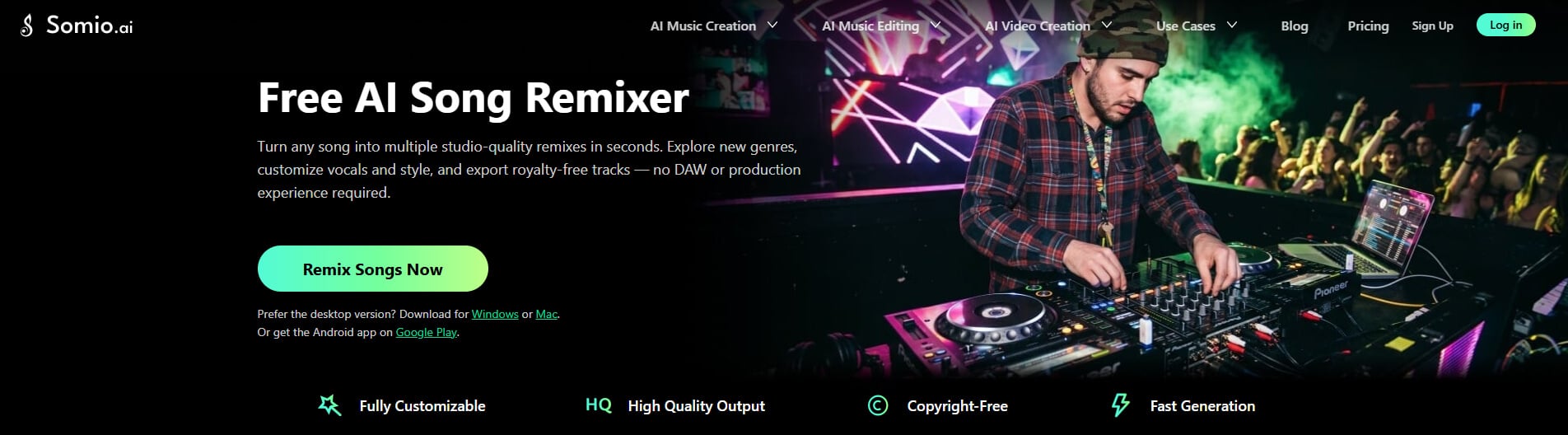
Somio AI song remixer gives creators more control over how their remixes develop. You can guide the creative direction by adjusting elements such as genre, mood, vocal style, and other musical characteristics. It also allows you to modify lyrics or transform a complete song into an instrumental version, making it easier to explore different interpretations of the same track. Whether you want to create a new atmosphere for an existing song or generate background music for videos, podcasts, and other projects, Somio helps you experiment with different possibilities faster.
Beyond basic remixing, Somio combines AI music generation, remix workflows, stem separation, lyric creation, and instrumental generation in one platform. This eliminates the need to move between multiple tools during the creative process. Whether you are refining an existing idea or turning a simple concept into a complete track, Somio provides a more streamlined workflow from creation to final output.
The platform is also designed to reduce the technical barriers of traditional music production. Beginners can create remixes by simply describing the style they want through prompts. At the same time, experienced creators can use Somio free AI music remixer to quickly test new ideas, explore different arrangements, and speed up the early stages of production.
Price: Somio offers a free plan; paid plans provide expanded generation capacity and access to advanced AI models.
Pros
- Transform existing songs into new styles
- Experiment with different genres, moods, and vocal styles
- Preserve the core identity of your song while exploring new versions
- Support MP3, WAV, OGG, M4A, FLAC, AAC
- Add new lyrics or create instrumental versions
- Prompt-based remix creation with adjustable controls
- Built-in vocal and stem separation
- Free plan available
Cons
- Lacks deep manual track-editing and mixing controls
- Step 1Upload a Song: Head to the Somio AI song remixer and upload your existing track, whether it's an MP3, WAV, FLAC, M4A, OGG, or AAC format. You can also choose "From Library" to select the song you've created inside Somio.
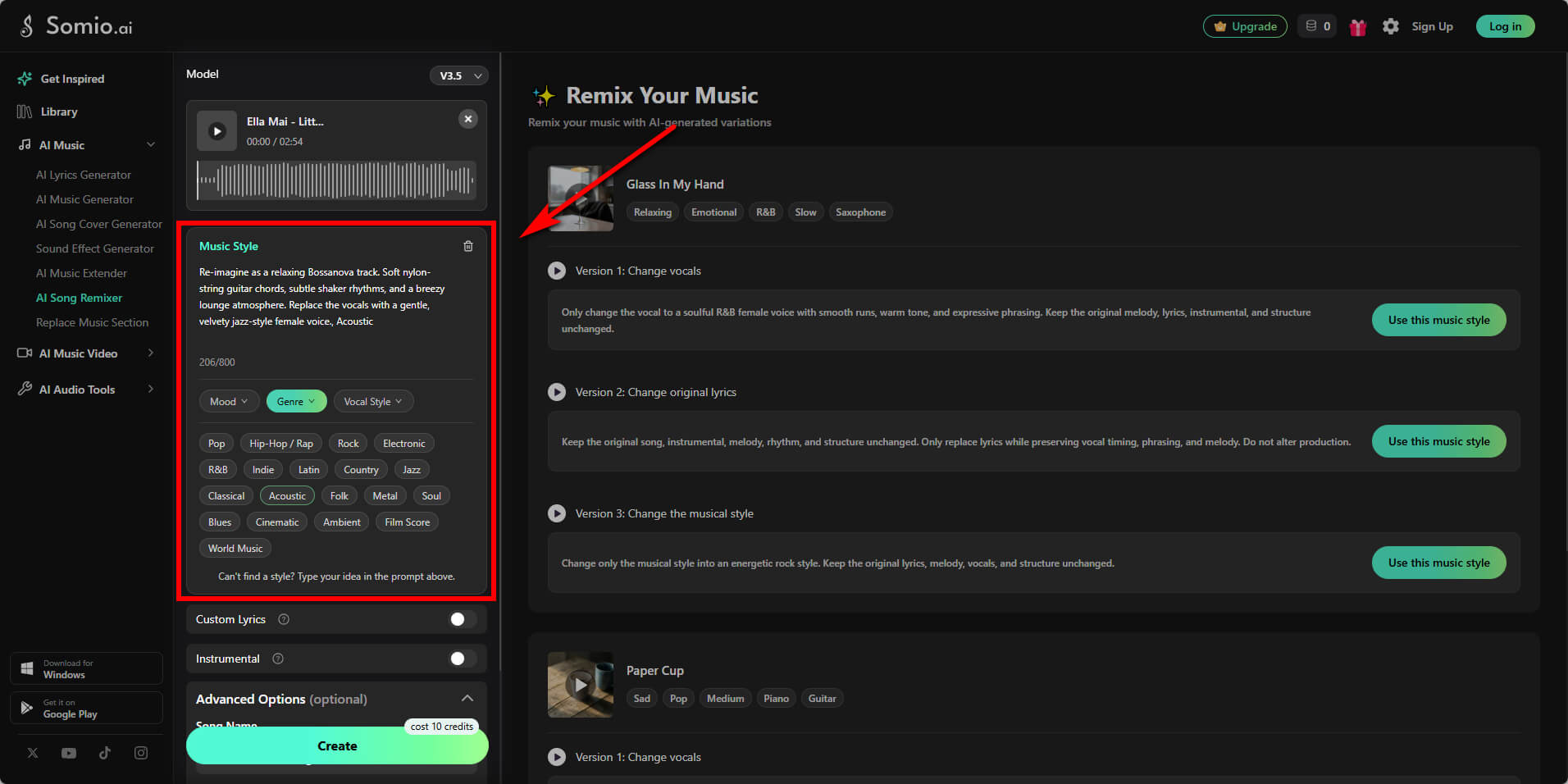
- Step 2Choose Your Remix Style: Select a genre or describe the style you want to apply, such as EDM, House, or Rock, then fine-tune elements like mood, tempo, energy, and vocal style to shape the direction of your remix. You can also add new lyrics or switch to instrumental mode to transform your original track into a completely new version.
- Step 3Make Remixes of Your Songs: Click "Create" and let AI transform your track into new remixes within seconds or minutes. Preview the generated versions and regenerate until you achieve the desired result, if needed. Export your final remix as high-quality WAV or MP3 files for releases, content creation, or live projects, or easily convert it to MIDI for advanced production workflows.
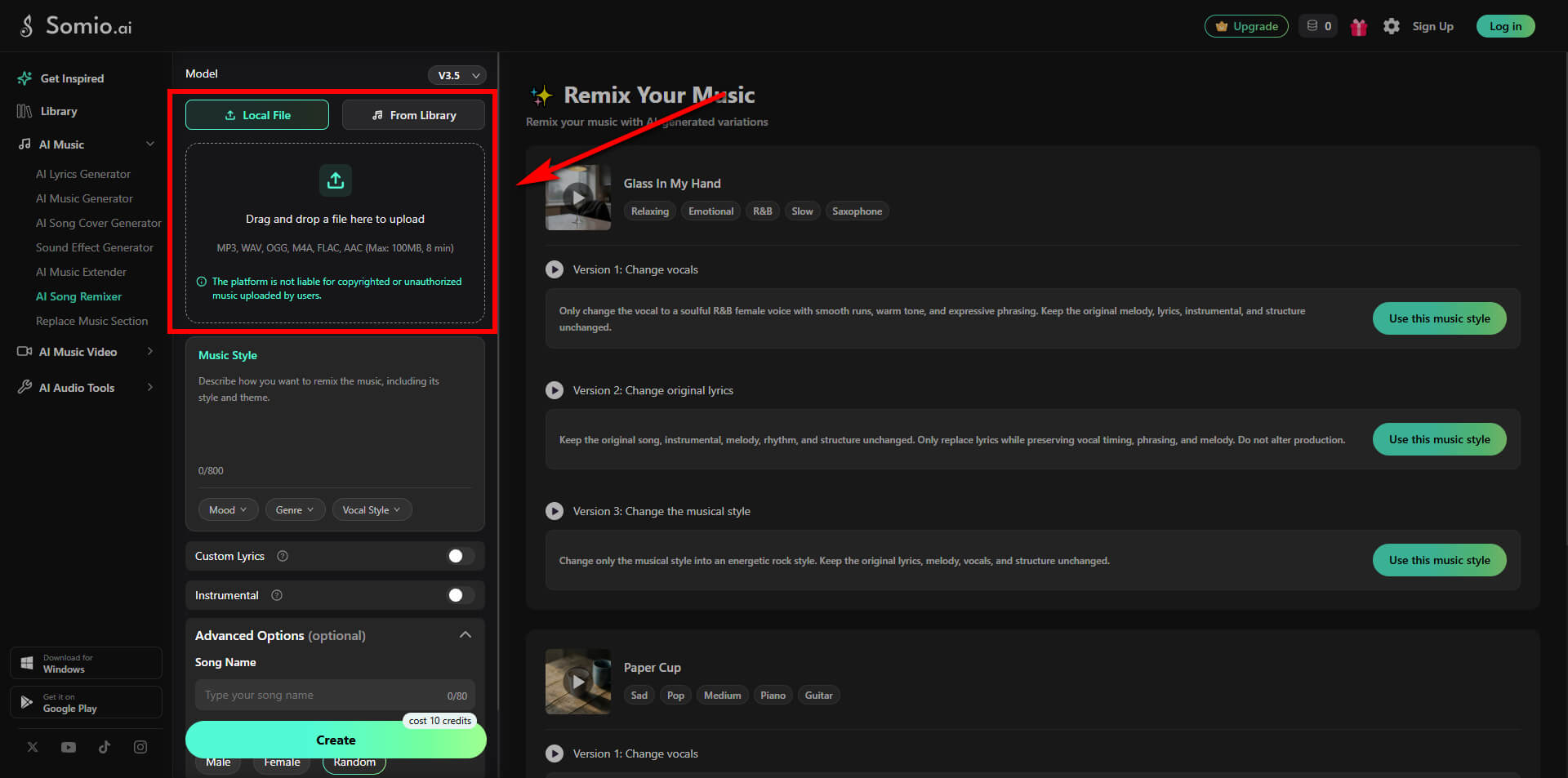
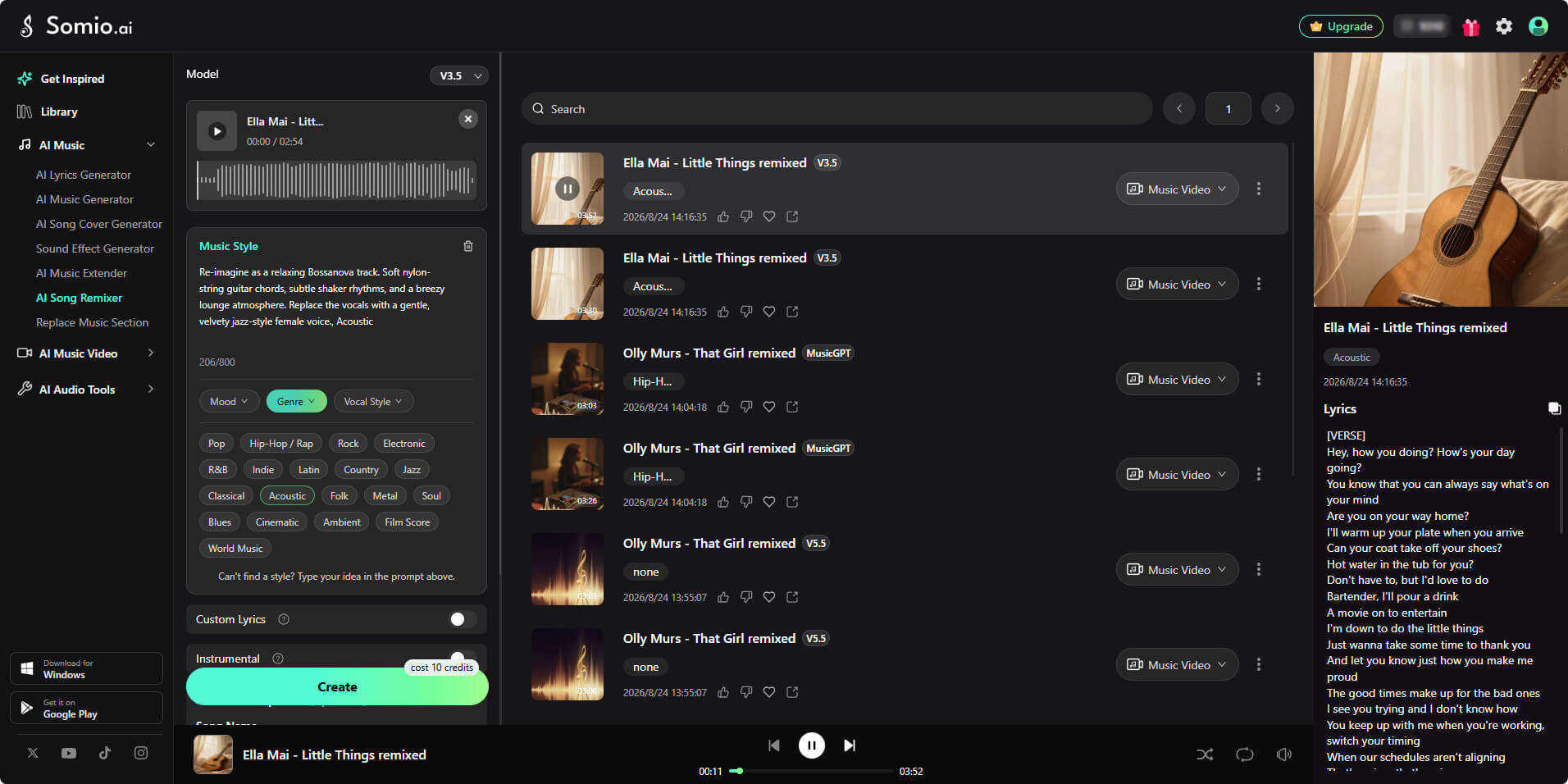
Pro Tips: Not sure where to start? Listen to the audio comparison below to hear how a song transforms into a completely new musical style! For more inspiration, open the Somio AI music remixer and look at the demo section on the right side of the workspace. You can listen to real audio examples showing vocal changes, lyric rewrites, and musical style shifts in action — and click "Use this music style" to apply those exact prompts to your own song!
Original Track (Before)
Remixed Track (After - Energetic Rock Style)
Bonus: Go Further with Somio AI Music Ecosystem
Whether you need fresh inspiration before starting or deeper control after generating, Somio provides additional tools to elevate your remixing workflow:
No Audio Track Yet? Create One from Scratch: Use the AI music generator to build custom, fully produced songs from text prompts, then feed them directly into the remixer.
Want Deeper DAW Control? Extract Stems or MIDI: Use the AI stem splitter to isolate vocals or instruments, and convert tracks with the free audio-to-MIDI converter for advanced fine-tuning in your DAW.
This end-to-end combination takes you seamlessly from initial songwriting to professional-level remix production — all in one workspace!
Loudly - Best for Structured AI Remixes
Best for: Musicians, marketers, agencies, and creators who need polished AI remixes with strong style control and commercial-ready licensing.
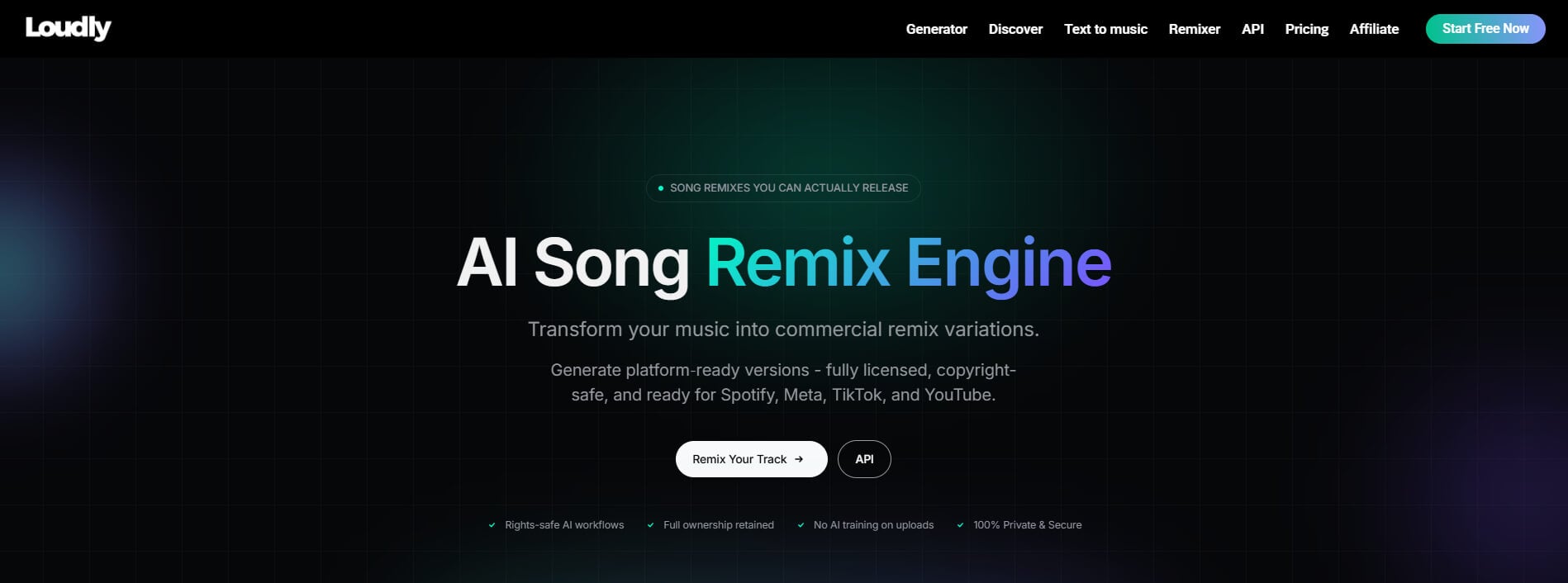
Loudly AI music remixer specializes in transforming existing tracks into new versions with AI-powered style generation. Loudly analyzes elements like tempo, harmony, and composition to create more structured remix variations.
Creators can guide the transformation with different styles and arrangement directions, making it useful for videos, campaigns, fitness content, and social media projects. With a wide range of genre options and commercial licensing support, Loudly helps users create usable music faster. However, Loudly song remix maker offers fewer deep editing features compared with all-in-one AI music platforms, making it less suitable for users who need lyric changes, vocal edits, or detailed song customization.
Price: Offers a free plan; paid plans start at $8.99 (pay-as-you-go), unlocking expanded generation capacity and access to advanced AI models.
Pros
- Excellent AI style transformation
- More than 50 remix genres
- Structural remix prompts for better pacing
- Automatic tempo and harmonic analysis
- Commercial licensing options
- Supports DAW export
Cons
- Limited lyric editing and vocal transformation features
- Fewer Creative controls beyond arrangement
TwoShot - Best for AI-Assisted Music Production
Best for: Music producers, beatmakers, DJs, and creators who want an AI-assisted production workflow with more control than a simple one-click remix tool.
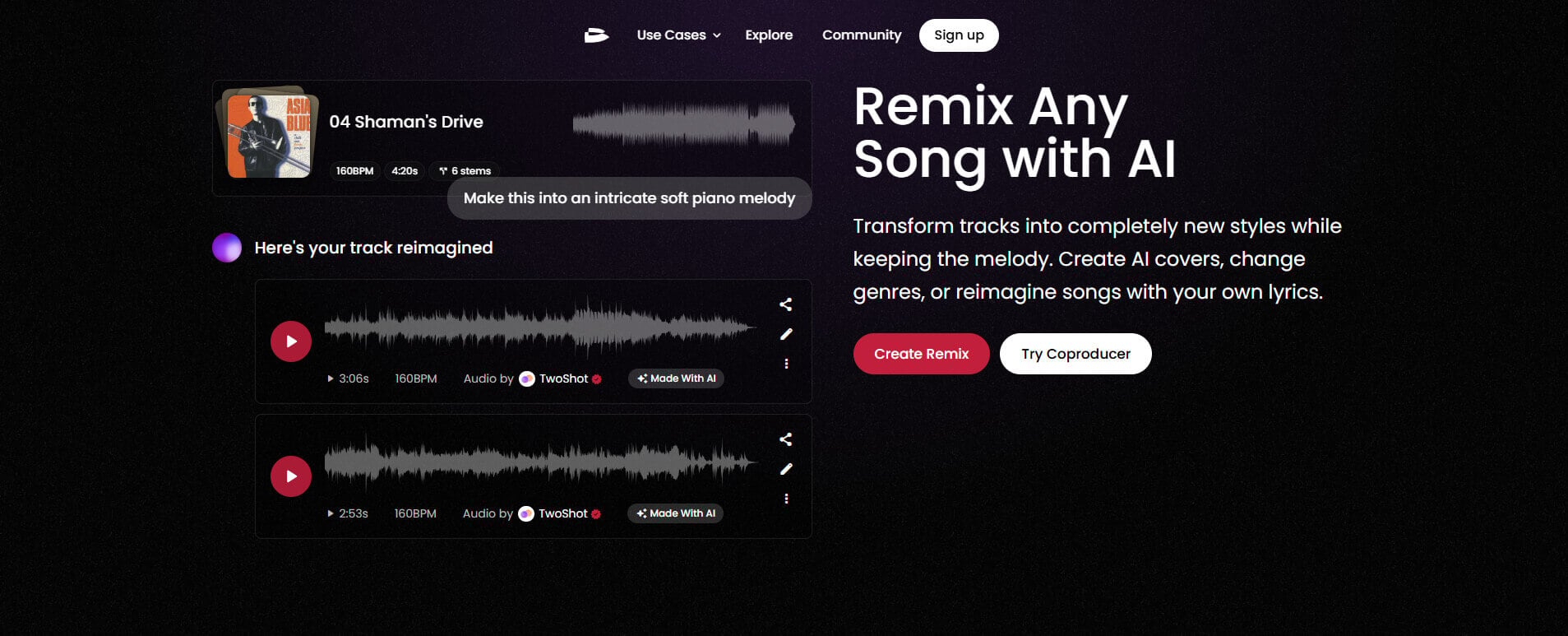
TwoShot is tailored for creators who prefer a hands-on approach to music production. It merges AI remixing with sample generation, mashup creation, stem separation, and a dedicated workspace.
What sets TwoShot AI song remixer apart is its incredible creative freedom. Rather than just overhauling a full track, it empowers producers to craft fresh ideas from scratch — generating custom samples, tweaking sounds, and polishing arrangements. Plus, seamless integration with major DAWs like Ableton Live and FL Studio makes fitting AI into your current setup effortless. If you want deeper control over your music, TwoShot music remixer delivers a rich creative studio. However, its complex toolset comes with a steeper learning curve, making it less ideal for beginners seeking instant, one-click solutions.
Price: Offers a free plan with monthly credit limits; paid subscriptions start at $9.50/month, unlocking expanded credits.
Pros
- Powerful AI style transformation
- Supports stems, mashups, and deeper production workflows
- DAW integration with professional tools
- Large royalty-free sample library
Cons
- More complex for beginners
- Creative controls require some production knowledge
Fadr - Best for DJ Mashups & Stem Remixing
Best for: DJs, remix enthusiasts, and producers who want AI assistance while keeping hands-on control over the creative process.
Experienced creators usually want deeper control over the remixing process. Fadr online song remixer handles the heavy technical lifting while leaving artistic decisions in your hands.
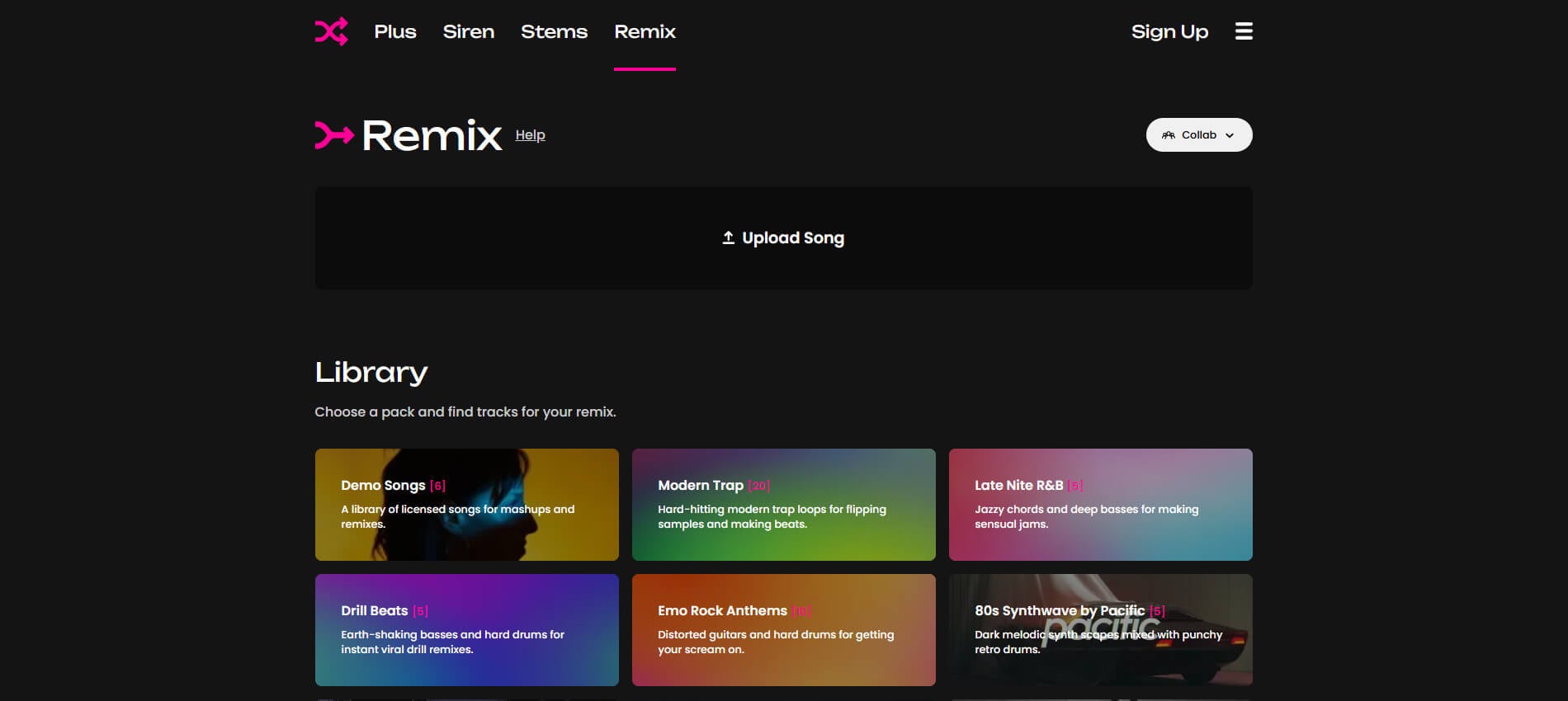
Upon uploading a track, Fadr automatically isolates vocals, drums, bass, and instruments while detecting key, tempo, and structure. For DJs, this streamlines mashups and beat-matching without hours of manual timing fixes. Its browser-based Remix Editor lets you align elements easily without complex desktop DAWs.
However, Fadr AI song remixer is built for hands-on producers rather than beginners seeking one-click AI transformations. Because it relies less on text prompts, shaping the final track requires more manual effort.
Price: Offers a free plan with basic stem separation and MP3 downloads. The paid Fadr+ subscription ($10/month or $50/year) unlocks Pro Stems, lossless WAV downloads, and DAW plugins.
Pros
- Genre presets for quick style exploration
- Supports stem separation
- Automatic tempo and key synchronization
- Built-in browser remix editor
- Download complete projects or individual stems
Cons
- Requires more manual editing
- Higher learning curve
- Limited prompt-driven AI creativity
Moises - Best for Stem Separation & Song Analysis
Best for: Musicians, music teachers, producers, and instrumentalists who need precise song analysis and advanced audio editing tools.
Moises music remix maker is designed for users seeking hands-on control over a track's structure, making it easy to isolate, fine-tune, and rework individual musical layers.
Upload any audio, and Moises AI extracts vocals, drums, bass, guitar, and piano while automatically detecting chords, tempo, and pitch. This enables creators to quickly arrange backing tracks, rehearse songs, or jumpstart custom remix projects. Its built-in chord detection, pitch adjustments, and DAW-style workspace make detailed editing fast and intuitive. That said, Moises song remix generator doesn't support automated genre flipping. If you're looking to instantly transform a track into EDM, lo-fi, or cinematic styles with a single click, its generative options are fairly restricted.
Price: Offers a free plan with basic limits; paid plans start at $2.79/month for unlimited audio separation, extra AI credits, and advanced mastering tools.

Pros
- Outstanding stem separation
- Accurate chord and key detection
- Tempo and pitch adjustment
- DAW-like editing interface
Cons
- No AI genre transformation
- Requires manual editing
- Better for musicians than casual creators
Virtual DJ - Best for Live DJ Mixing
Best for: Professional DJs and live performers who want real-time AI-assisted mixing and mashup creation.
Unlike fully automated AI song remixers, VirtualDJ AI music remixer puts live control directly in the performer's hands. For DJs, the biggest challenge isn't just brainstorming ideas—it's executing seamless transitions, isolating tracks, and adapting music in real time.
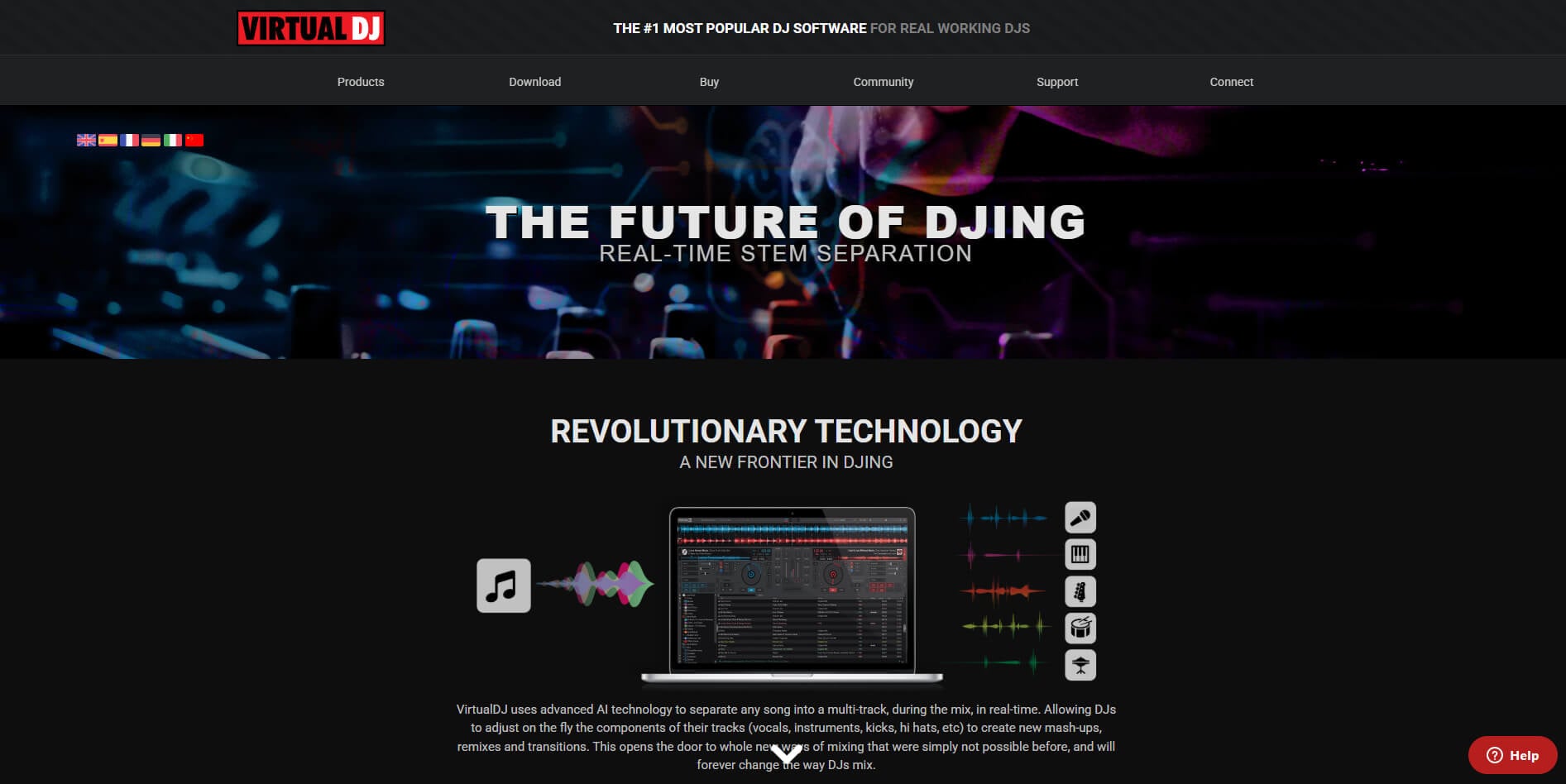
VirtualDJ music remixer solves this with real-time AI stem separation, letting you instantly split vocals, drums, and bass from almost any track. This allows DJs to create live mashups, blend vocals with new instrumentals, or remove unwanted elements on the fly. Paired with automatic beat matching, key detection, and intelligent track recommendations, it drastically cuts technical friction during live sets. While it demands basic DJ skills rather than offering one-click song conversions, VirtualDJ remains one of the most flexible, performance-focused AI tools available for live mixing.
Price: Offers a free desktop-only version. Paid plans range from $4/month (home controllers) to $19/month for full Pro features.
Pros
- Real-time stem separation
- Automatic beat matching
- Harmonic key matching
- Excellent for live mashups
- AI song recommendations
- Powerful DJ effects and sampler
Cons
- No automatic AI genre transformation
- Requires DJ skills
- Relies on Manual Mixing
Essential Tips for Creating Better AI Remixes
AI can make remixing faster and easier, but great results still come from thoughtful creative decisions. Choosing the right source track, balancing different elements, adding your own style, and refining the final version are what turn a simple AI-generated remix into something memorable. The following tips will help you create better-sounding remixes.
Start with Tracks That Inspire You (or Create Your Own): It's way easier to make a great remix when the original song already inspires you — whether it's a House groove or a Lo-fi Hip-Hop vibe. If you don't have a clean track or want to avoid copyright issues, you can instantly generate fresh inspiration on Somio AI music generator.
Make Your Remix Fit Any Project: Think about how people will experience your remix. A strong beginning grabs attention, the middle keeps the energy flowing, and the ending should feel complete. This structure works especially well for videos, podcasts, and social media content. Need a longer intro for videos or a smoother ending for your track? Use our AI music extender to naturally expand your song and audio trimmer to adjust sections easily.
Match Your Key and Tempo: A great remix needs the right balance. Make sure vocals, instruments, and beats stay synchronized to avoid unnatural transitions. You can use Somio pitch changer to quickly detect and adjust tempo and key to make vocals fit your new instrumental.
Create a Cleaner Mix: Avoid overcrowding your track. Give each element enough space, so vocals, melodies, and rhythms can stand out clearly. With our AI stem splitter, you can separate different layers of a song, remove unwanted elements, and create more space for your own remix ideas.
Add Your Own Creative Identity: A memorable remix needs a unique element. Try new lyrics, different vocal styles, or unexpected genre combinations to make your version stand out. With Somio AI lyrics generator, you can rewrite lyrics that fit a new genre or emotion, helping you transform the same song into fresh versions.
Conclusion
After testing the 6 best AI song remixer tools, Somio stands out as the most balanced solution because it combines remixing, AI music creation, lyric editing, vocal transformation, and instrumental generation in one complete workflow. While other tools excel in specific areas, such as DJ performance, stem separation, or professional production, Somio offers the flexibility most creators need to explore and finish new musical ideas.
AI remixing is evolving quickly. Features that once required expensive software and advanced production skills are now accessible through simple AI-powered workflows. Whether you want to transform an existing track, create different genre versions, or experiment with new sounds, Somio AI music remixer gives you an easy way to start exploring.
Try Somio AI song remixer today and make some fresh, creative remixes instantly!
FAQs about the Best AI Song Remixer
- What is an AI song remixer?
An AI song remixer uses artificial intelligence to transform an existing song into a new version automatically. Instead of manually editing beats, vocals, and arrangements, AI handles the technical work while you focus on creativity. With Somio AI music remixer, you can change genres, adjust mood and tempo, rewrite lyrics, or create instrumental versions, making it easy to remix songs in just a few clicks.
- Do I need music production experience to use an AI song remixer?
No. Somio AI music remixer is built for beginners as well as experienced creators. Simply upload a song, choose your preferred style or settings, and let AI generate the remix. This removes the need to learn complex DAWs or music theory, allowing anyone to create professional-sounding remixes in seconds.
- Which AI music remixer is best for making remix songs and creating new beats?
If you're looking for the best AI song remixer, Somio is one of the most complete options. It combines AI-powered remixing, genre transformation, lyric editing, vocal transformation, and instrumental generation in a single workflow. Whether you're creating remix songs for social media, music releases, or personal projects, Somio makes the entire process faster, easier, and more creative.
- Is making a remix of a song illegal with AI?
Using an AI song remixer online doesn't change copyright law. If the original song is copyrighted, you'll still need permission or the proper license before publishing or monetizing your remix. The safest approach is to remix your own music, or work with audio you have the legal right to use.
- Is Somio AI song remixer free to try?
Yes. Somio free AI song remixer lets you test its core remixing features before upgrading. You can upload your own song, experiment with different remix styles, and see how AI transforms your music into new versions without any upfront cost.
- How does Somio AI remix generator work?
Somio AI song remixer allows you to create remix songs in just a few simple steps. Start by uploading your song, or generating a new track within Somio. Next, choose the remix direction by adjusting the genre, mood, tempo, energy, or vocal style. You can also rewrite lyrics or create an instrumental version to match your creative vision. Once everything is set, the AI music remixer analyzes your track and generates new versions in seconds to minutes. If you're not completely satisfied, simply refine your settings or regenerate another variation until you find the remix that sounds just right.