Creating a music video is often more expensive and time-consuming than producing the song itself. Hiring a director or videographer can cost a lot of money, while doing it yourself requires hours of editing, technical skills, and creative resources. Meanwhile, on social media, audiences increasingly expect strong visuals alongside music, making it harder for great tracks to stand out on their own.
That’s where free AI music video generators come in. These tools turn a song into a fully realized visual experience in minutes, automatically syncing scenes to the beat without requiring complex editing skills.
We tested the 6 popular AI music video generators, comparing beat synchronization, creative control, video quality, and ease of use. Among them, Somio free AI music video generator stands out by transforming your music into a fully synchronized and compelling visual story while remaining fast and accessible for beginners.
Whether you're promoting a new single, creating content for social media, or building visuals for a full-length release, this guide covers the best free AI music video generators that fit your needs.
Let's move on.
What Makes an AI Music Video Generator Worth Using?
Finding a free AI music video generator is easy. Finding one that truly respects your artistry is not.
The best AI music video generators do more than turn audio into visuals. They help artists create engaging videos faster while staying true to a song’s mood, energy, and creative vision. With that in mind, here’s what I looked for when evaluating free AI music video generators:
Story & creative direction: The tool should translate your music into a coherent visual narrative. Whether story-driven, mood-based, performance-focused, or fully custom, it should allow your song to shape the video, not just overlay random clips.
Beat-aware rhythm: The visuals should respond actively to your music — syncing to tempo, drops, and transitions. Dynamic shot changes, varied framing, and smooth scene transitions should follow the song’s structure to create a rhythmically engaging experience.
Consistency across scenes: Characters, styles, and environments must remain stable throughout the video. Avoiding common AI glitches preserves storytelling and maintains immersion from start to finish.
Cinematic visual quality: Strong composition, dynamic camera movement, intentional lighting and color grading, and thoughtful styling (characters, wardrobe, environment) are essential. This ensures a cinematic feel rather than generic AI-generated footage.
We tested both established and emerging AI video tools, focusing on visual quality, music synchronization, creative control, and ease of use. The tools below stood out for helping creators produce compelling music videos quickly without sacrificing artistic quality.
Quick Comparison of the Top 6 AI Music Video Generators
| Tool | Key Features | Free Trial |
|---|---|---|
| Somio | Beat-synced videos, atmospheric/performance/story-driven generation, character consistency | Yes |
| Neural Frames | beat synchronization, interactive chat-based editing, custom visual styles | Free trial with limited model access |
| FreeBeat | Automated storyboarding, lip-sync & lyric videos, music-aware editing | Free trial with basic features and watermarked exports |
| Kaiber | Dreamlike animations, beat-reactive visuals, keyframe controls, multi-platform content creation | Yes |
| Revid | Text-to-script workflow, social-ready formats, templates & voiceovers | Free trial with limited features |
| Runway ML | Hollywood-grade video fidelity, cinematic camera movement, a suite of professional AI creative tools | Free trial with limited features |
A Closer Look at Our Top 6 AI Music Video Generators
Somio - Best for Beat-Synced, Story-Driven & Custom Music Videos
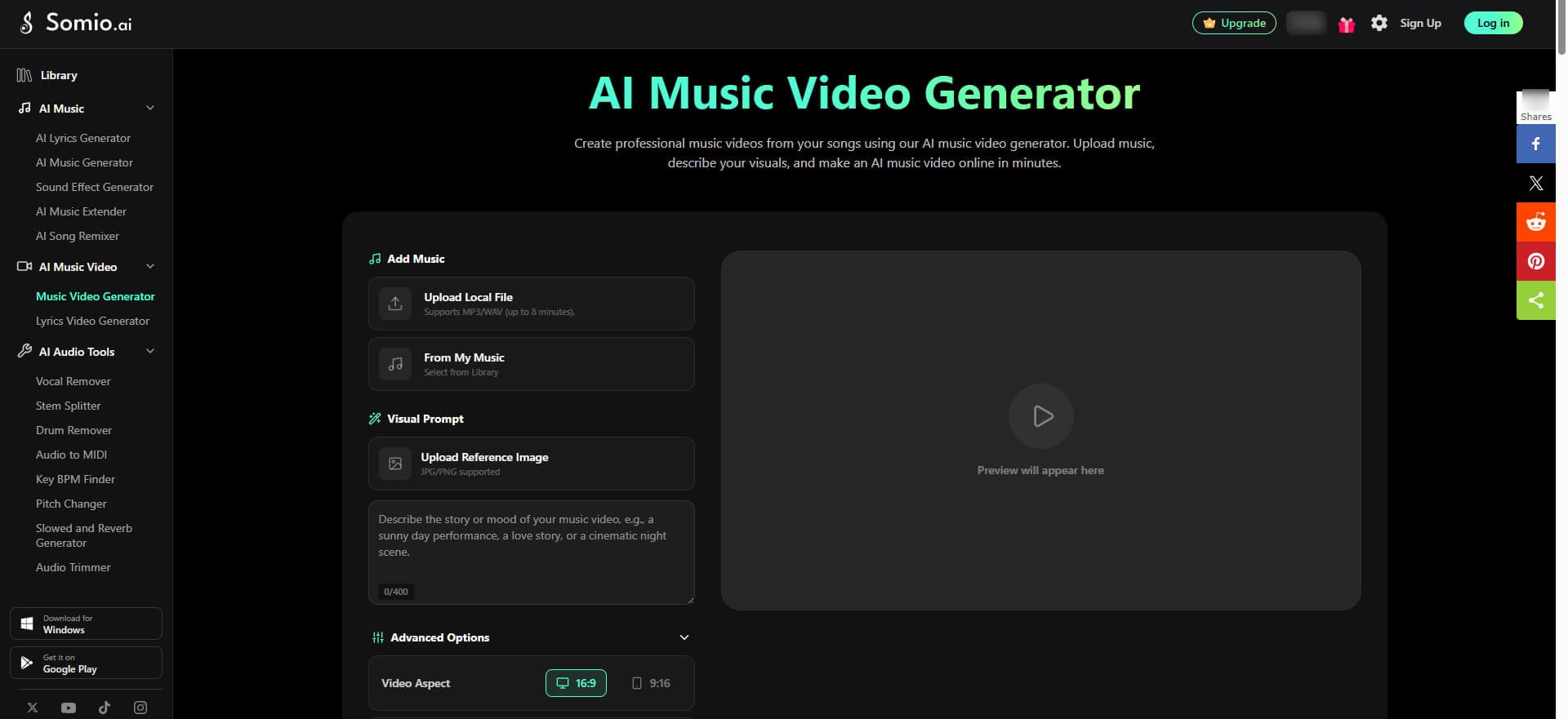
Somio is one of the most intuitive free AI music video generators for creators who care more about musical storytelling and beat-synced visuals than generating random AI visuals. Somio AI music video maker transforms your song into a cohesive music video in minutes, while staying aligned with your prompts and reference images.
What makes Somio AI music video generator stand out is that it understands music more than just background audio. Somio analyzes your song's tempo, energy shifts, mood, and structure to create videos that feel intentionally edited. Scene transitions, camera movements, and visual effects naturally sync with the music, saving hours of manual editing.
Somio AI music video maker helps you quickly turn music into engaging videos for social media, music releases, and promotions. Simply upload a song, add a visual reference, pick a preset video style, choose your preferred aspect ratio and AI model, and describe the desired mood. Somio generates polished scenes that align with your creative vision, from cinematic storytelling and performance videos to animation and stylized visual art.
Visual quality is consistently strong, with smooth motion, stable scenes, and HD output. Somio AI music video generator supports music videos up to 8 minutes long, making it suitable for both short-form content and full-length releases. Beyond music video creation, it also offers a dedicated AI singing and dance video generator, alongside lyric video creation, AI music generation, and other audio-editing tools.
Overall, for musicians and content creators who want to create visually striking videos that actually follow the rhythm, emotion, and story of their music without spending hours editing, Somio delivers one of the strongest free AI music video generators available today.
Pricing: Free plan available with limited music video generation credits. Paid plans unlock higher credit limits.
Pros
- Excellent beat-sync for visuals, transitions, and animations
- Strong narrative and character consistency
- Supports lip-sync, dancing, instrument play, and custom styles
- Create music video from precise, custom audio selections
- Diverse video styles to choose from
- Beginner-friendly, no music editing experience required
- AI expands simple prompts into richer storytelling
- High-quality output in minutes
- Generates full-length videos up to 8 minutes
- Free of copyright and watermark, ready to share
Cons
- Subtitle/lyrics support unavailable for now, coming soon
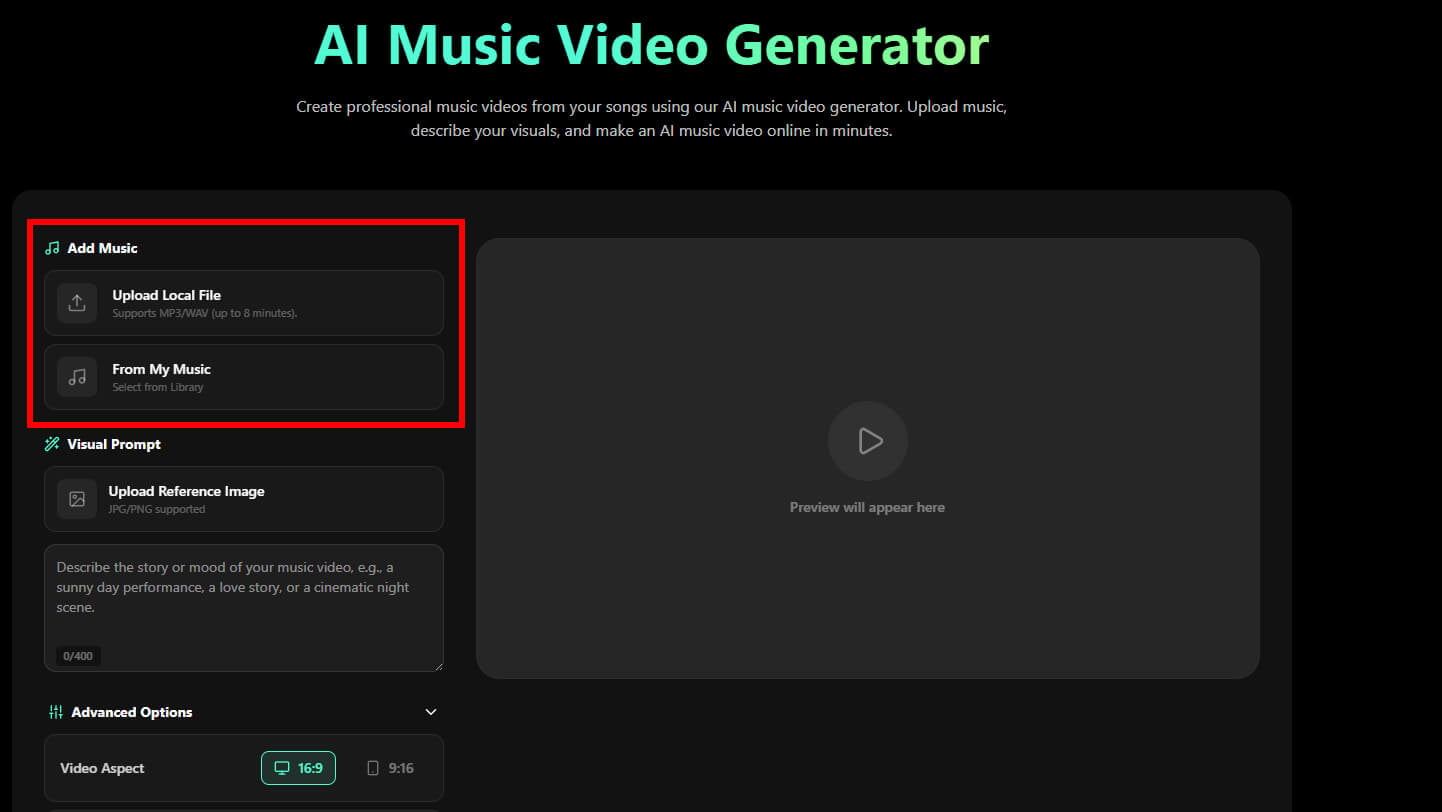
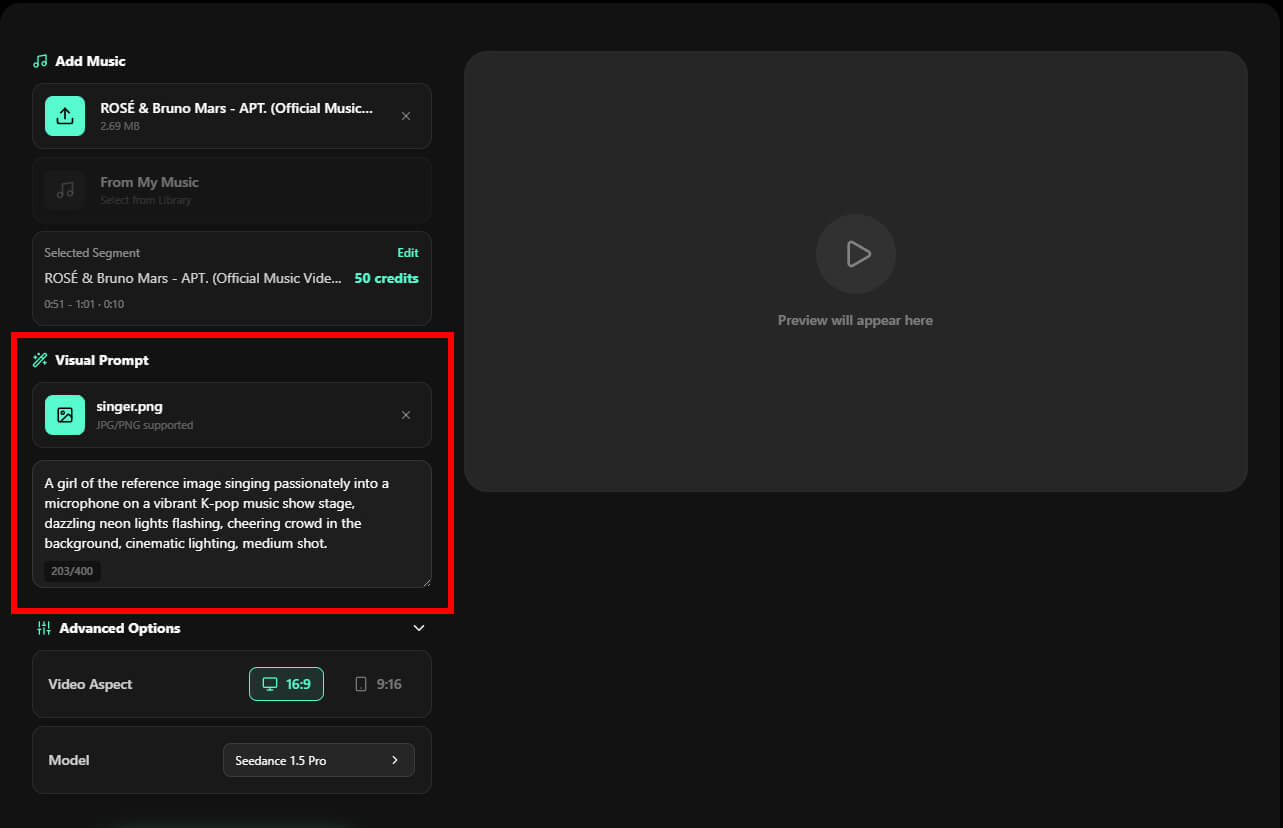
- Step 1Upload Your Music: Open Somio free AI music video generator, click "Upload Local File" to import your own music, or select a track from Somio's built-in library (AI-generated music). Once uploaded, you can select the specific audio segment to use for your music video. Supports MP3 and WAV files up to 8 minutes. For a deeper look into model comparisons, feature breakdowns, and prompt tips, check out our full AI music video guide.
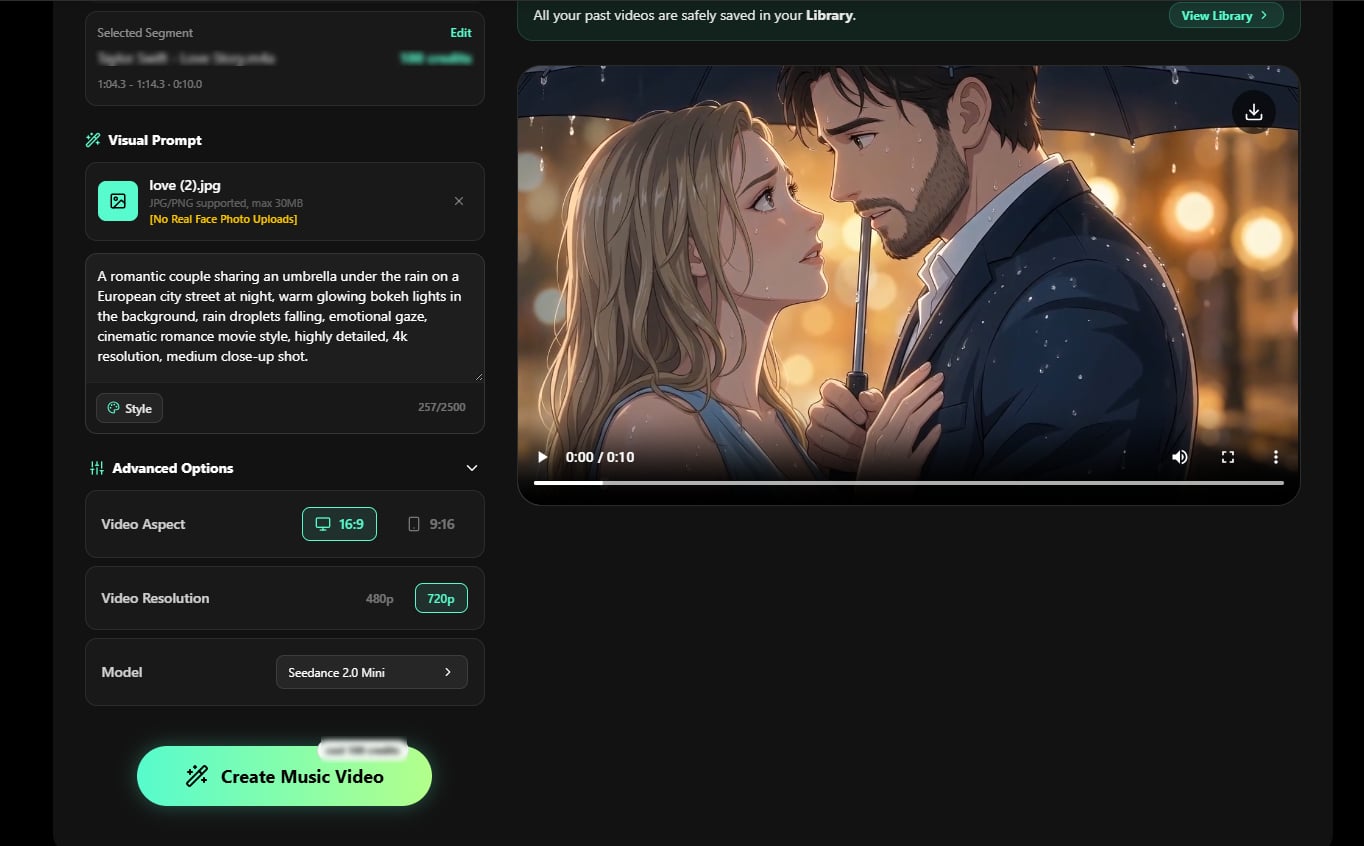
- Step 2Add Your Visual Prompt: Upload a reference image, then describe your desired visuals in the prompt box, including specific scenes, mood, and vibe — or click "Styles" to choose a preset look, such as cinematic, anime, cyberpunk, and more. From live-performance scenes to surreal worlds and artistic music experiences, Somio easily transforms your music, ideas, and reference image into a unique music video.
- Step 3Customize and Create AI Music Video: Adjust advanced settings to fit your needs, such as the aspect ratio for different devices or your preferred AI music video model. Once everything is set, click "Create Music Video" and let Somio create a fully synchronized music video. In just a few minutes, your music video is ready to download or share on YouTube, TikTok, Reels, and more.
Neural Frames - Best for Precise Beat-Accurate Visual Control
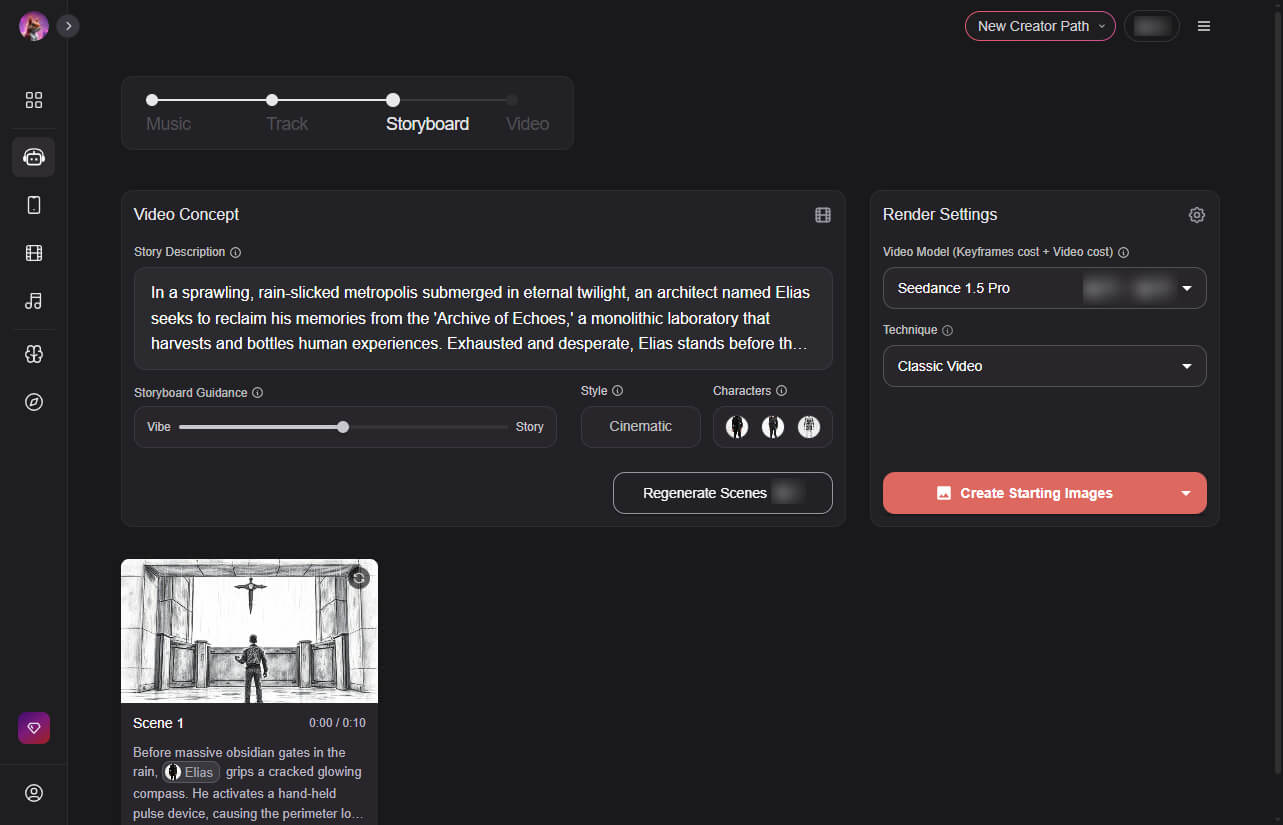
Neural Frames is a dedicated free music video generator designed for creators looking for precise control over how visuals follow their music. It works like a creative studio, allowing musicians to design animations around specific beats, transitions, and musical phrases instead of relying on generic outputs.
At its core is a music-responsive engine that analyzes rhythm, energy, structure, and phrasing to generate visuals that move naturally with the track. Scene transitions, effects, and animations adapt to each musical moment. Creators can adjust beat-sync strength, choose styles, select recurring characters, and refine the overall visual tone to match the song’s mood.
Neural Frames music video maker also stands out for its simple editing workflow, in which scenes can be refined via a chat-based interface without restarting projects. This makes iteration faster and more cost-efficient, similar to adjusting sections of a song in a music editor, but applied to visuals.
While it may not always match top-tier AI models in visual polish or lip-sync accuracy, Neural Frames remains a strong choice for creators who prioritize beat-accurate synchronization, narrative control, and hands-on creative direction over fully automated generation.
Pricing: Offers a free trial with limited credits; premium plans unlock higher credit limits and advanced AI models.
Pros
- Frame-perfect audio-reactive visuals
- High creative control
- Refine scenes via chat interface
- Map visuals precisely to musical structure
- Customize style, characters, and captions
- Fast adjustments without restarting project
Cons
- Visual quality is sometimes below top AI models
- Lip-sync performance needs improvement
- Outputs can feel template-limited
- May lack a personal, authentic feel for artists
FreeBeat - Best for Automated End-to-End Music Video Generation
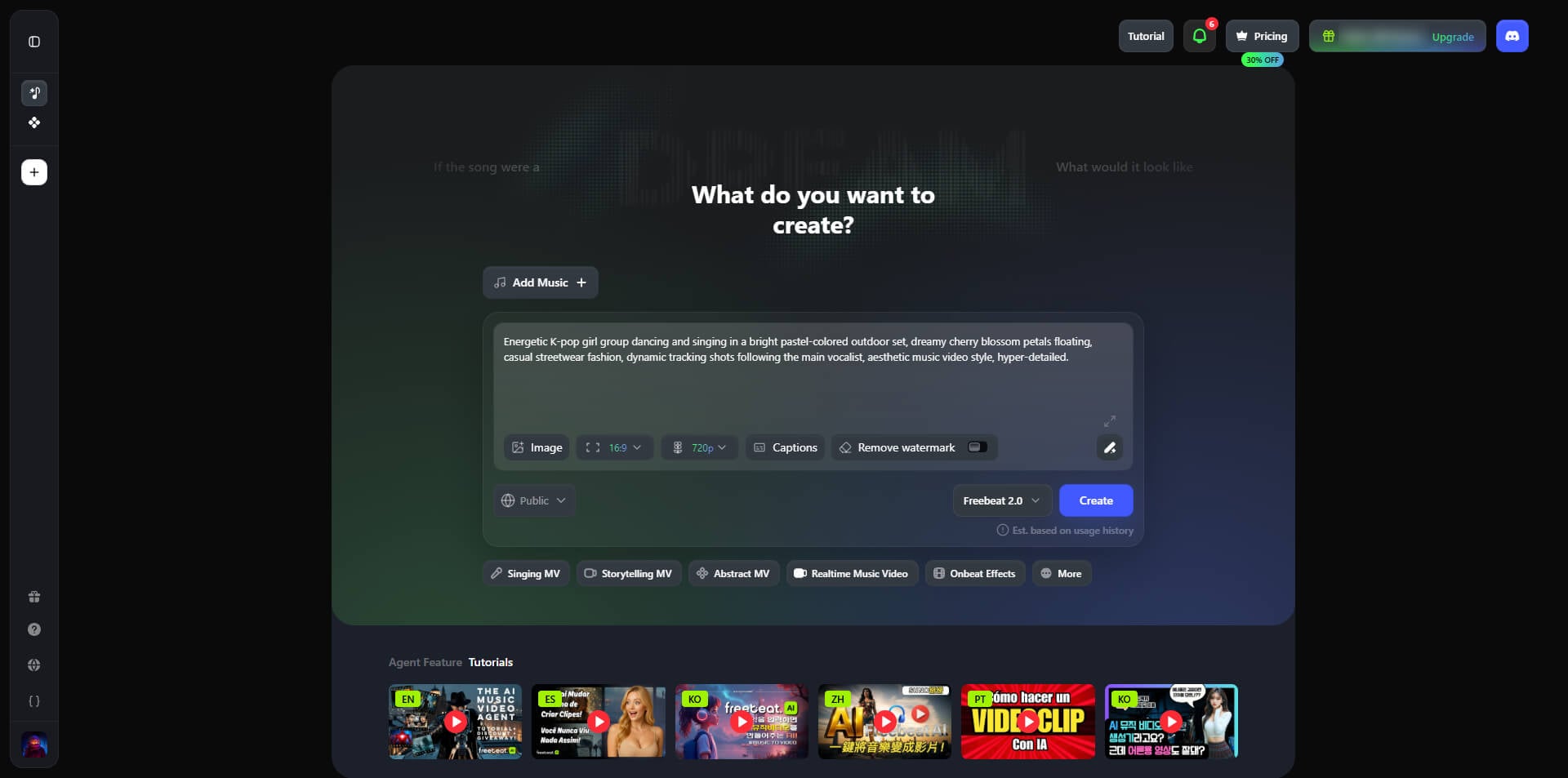
FreeBeat is one of the most ambitious free AI music video maker, built to help visual storytellers create fully automated, end-to-end music videos. FreeBeat functions as an AI director — analyzing your music, planning storyboards, generating scenes, and syncing visuals to the rhythm with minimal input.
Getting started is simple. Upload an MP3 file or import music from platforms like Suno, Udio, TikTok, or YouTube. FreeBeat analyzes BPM, rhythm, drops, and structure, then produces a visual plan. Creators can select Story Video or Stage Performance modes, define characters, pick visual styles, and provide creative direction, while the AI handles pacing, scene sequencing, and atmosphere.
FreeBeat music video creator excels at turning songs into videos that naturally follow your music, with transitions, effects, and scene changes aligned to musical sections. It supports lyric videos, lip-sync, choreography-driven performances, and narrative storytelling — ideal for creators producing content for social media.
The platform is beginner-friendly: after generating a storyboard, you can refine prompts, regenerate sections, and adjust the overall style. Uploading character references and customizing visuals gives more control than many fully automated AI tools.
While longer projects may face consistency issues, and occasional rendering errors require re-generation, FreeBeat’s automated workflow saves significant editing time. For creators prioritizing speed and end-to-end automation over granular control, FreeBeat offers a compelling, time-saving way to turn music into visually engaging videos.
Pricing: Free plan available with basic features; weekly and monthly paid plans unlock more generation credits and remove watermarks.
Pros
- Fast end-to-end music video workflow
- Auto analyzes BPM, beats, drops, structure
- Acts as AI director, edits and sequences videos
- Allows character uploads, visual style customization
- Beginner-friendly storyboard-based editing
Cons
- Character consistency may break in longer videos
- Prompt adherence is less reliable than competitors
- Scene transitions can feel rough or unnatural
Kaiber - Best for Stylized, Eye-Catching Music Visuals
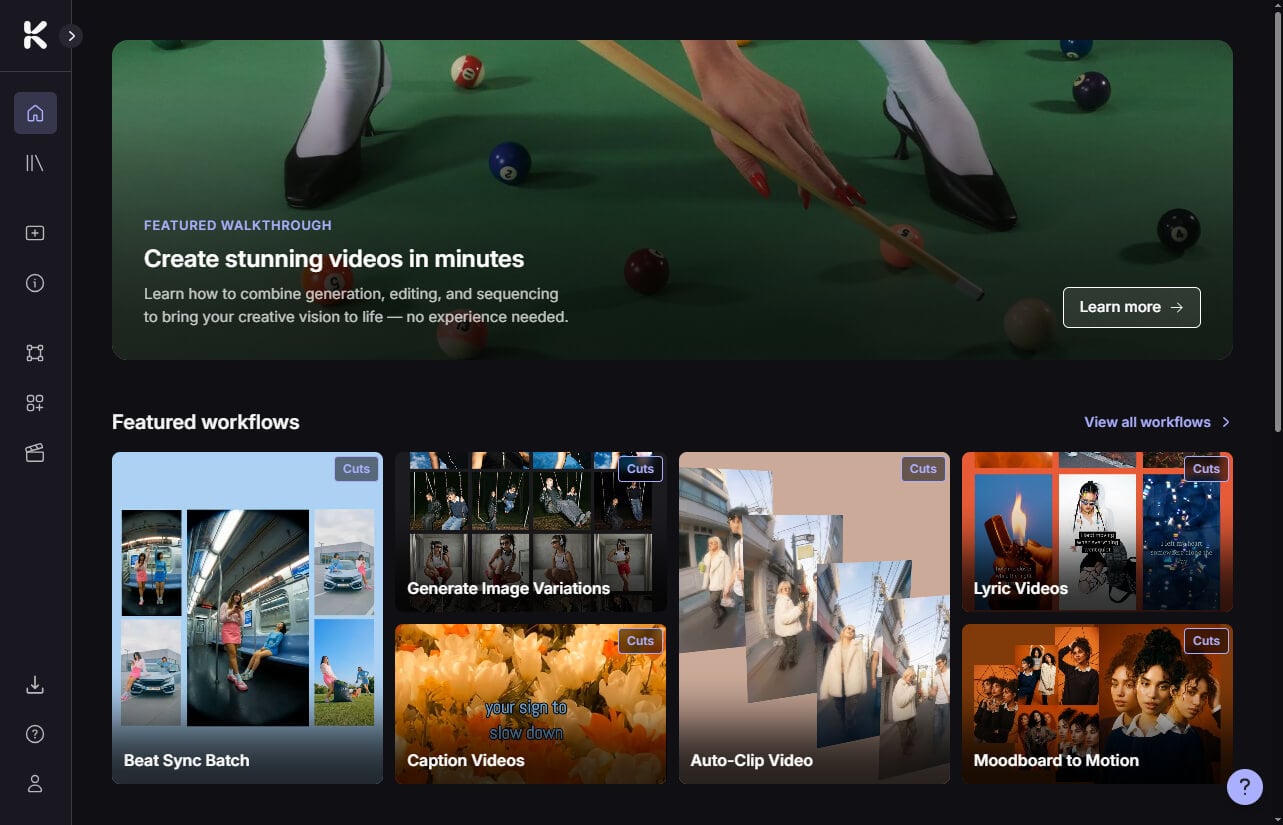
Kaiber is one of the most influential AI music video generators and remains a favorite among musicians who prioritize visual identity over technical editing control. Rather than focusing on realistic performances or complex storytelling, Kaiber specializes in dreamlike animations, psychedelic motion graphics, animated artwork, and other highly stylized visuals that stand out on TikTok, Instagram, and YouTube.
Its biggest differentiator is the ability to turn music into atmosphere. You can start with a text prompt, image reference, existing artwork, or assets from Canva and Pinterest, then upload a track to automatically generate beat-synced visuals, lyric-aware cuts, and multiple platform-ready versions. Keyframe controls provide additional flexibility for style transitions, camera movement, zoom effects, and visual transformations.
In practice, Kaiber AI music video creator is popular among independent musicians, visual artists, and content creators who need eye-catching promotional content without spending hours in traditional editing software. A single track can quickly become album visuals, lyric videos, social clips, or experimental music art, making it an effective tool for testing creative ideas and building a recognizable visual brand.
The tradeoff is that Kaiber prioritizes style over precision. While it responds well to musical energy and mood, it doesn't fully understand song structure, making it less effective for narrative-driven music videos. Character consistency can also be unreliable, with subjects occasionally shifting or warping between scenes. Longer projects may require additional rendering time and refinement.
Still, if your goal is visually distinctive AI music videos that amplify a song's emotional impact without learning complex editing software, Kaiber remains one of the strongest style-first tools available today.
Pricing: Free trial available; paid tiers grant additional generation credits, unlimited timeline edits, and commercial usage rights.
Pros
- Highly stylized short-form music content
- Creates unique visual identities
- Beat-synced visuals and transitions
- Easy for beginners to get start
- Flexible keyframe-based editing
Cons
- Long videos render slowly
- Character consistency is unreliable
- Struggles with complex song arrangements
- Doesn't understand verses and choruses
- Less suitable for story-driven MVs
Revid - Best for Rapid Social-Ready Content
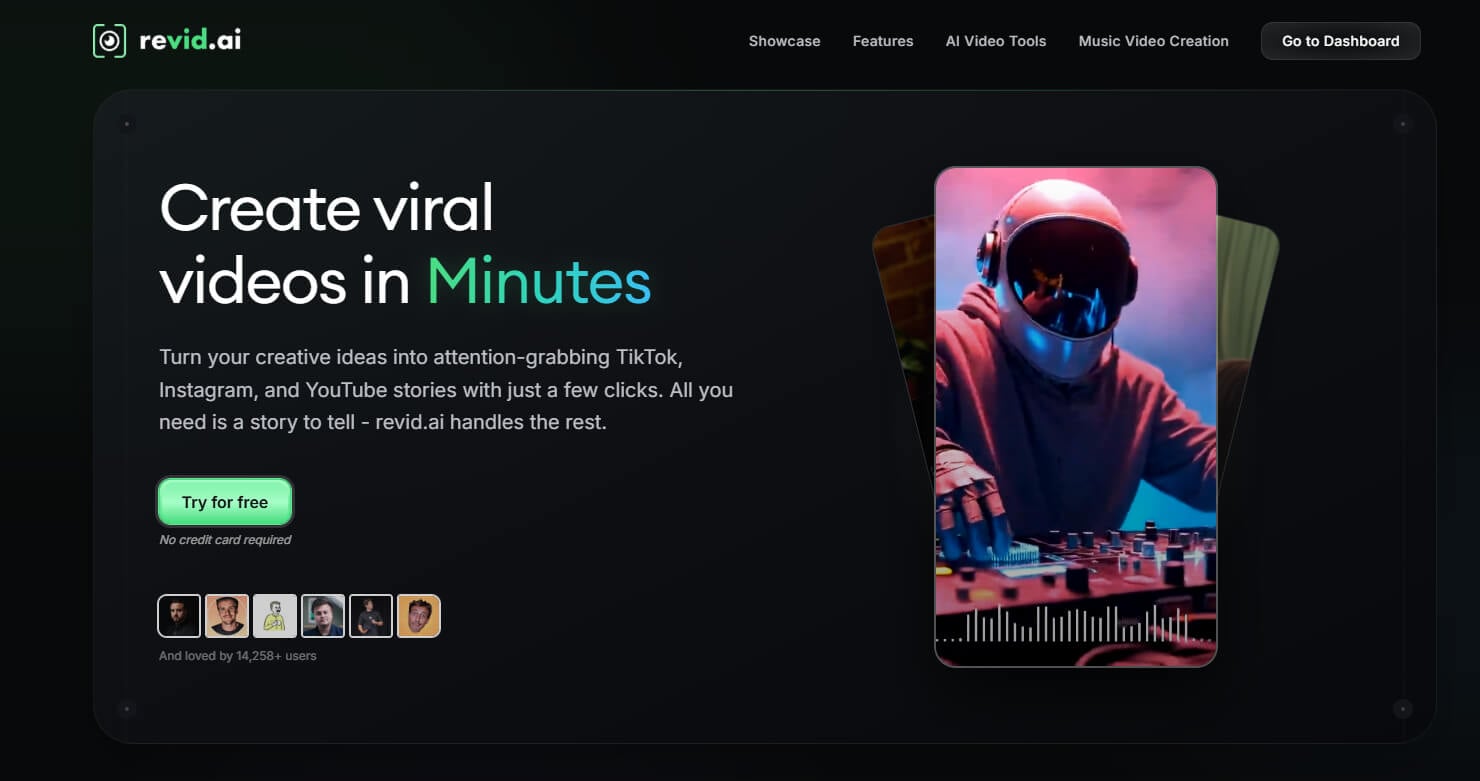
Revid is one of the fastest free music video makers for turning ideas into social-ready content. While it isn't specifically designed for music videos, it has become a popular choice among creators, marketers, educators, and small businesses who need professional-looking videos without spending hours editing.
What makes Revid different is its automation-first workflow. Instead of handling scripting, voiceovers, editing, and formatting separately, you can start with a text prompt, document, image, or simple idea, and the platform automatically generates a script, creates visuals, adds narration, and formats the final video for TikTok, Instagram Reels, and YouTube Shorts.
The free music video generator is particularly useful for creators who publish content frequently. Its AI voice library, customizable templates, and built-in styles make it easy to produce educational videos, promotional content, product explainers, and short-form social media videos at scale. Rather than focusing on cinematic production, Revid turns ideas into publish-ready videos in minutes.
Despite its simplicity, Revid offers a solid level of customization. Users can refine scripts, adjust scenes, experiment with different styles, and tailor videos to match a specific brand or aesthetic. This balance between automation and flexibility makes it especially attractive for creators who value speed and efficiency.
The tradeoff is creative precision. Prompt adherence can be inconsistent in complex projects, and maintaining character, background, or scene consistency across longer videos can be challenging.
For creators who prioritize speed and consistency, Revid dramatically reduces the time from idea to finished video, making it one of the most efficient tools for producing social content at scale.
Pricing: Free trial with limited features available; tiered paid subscriptions grant additional generation credits, voice cloning, and multi-platform publishing.
Pros
- Beginner-friendly and intuitive interface
- Automates scripting, editing, and formatting
- Turns ideas into videos quickly
- Highly customizable styles and templates
- Large selection of AI voices
- Supports music clip-based video creation
Cons
- Scenes may not match descriptions sometimes
- Scene timing often needs adjustments
- Occasional generation failures
- Better for short-form than storytelling
Runway ML - Best for Cinematic AI Music Video Production
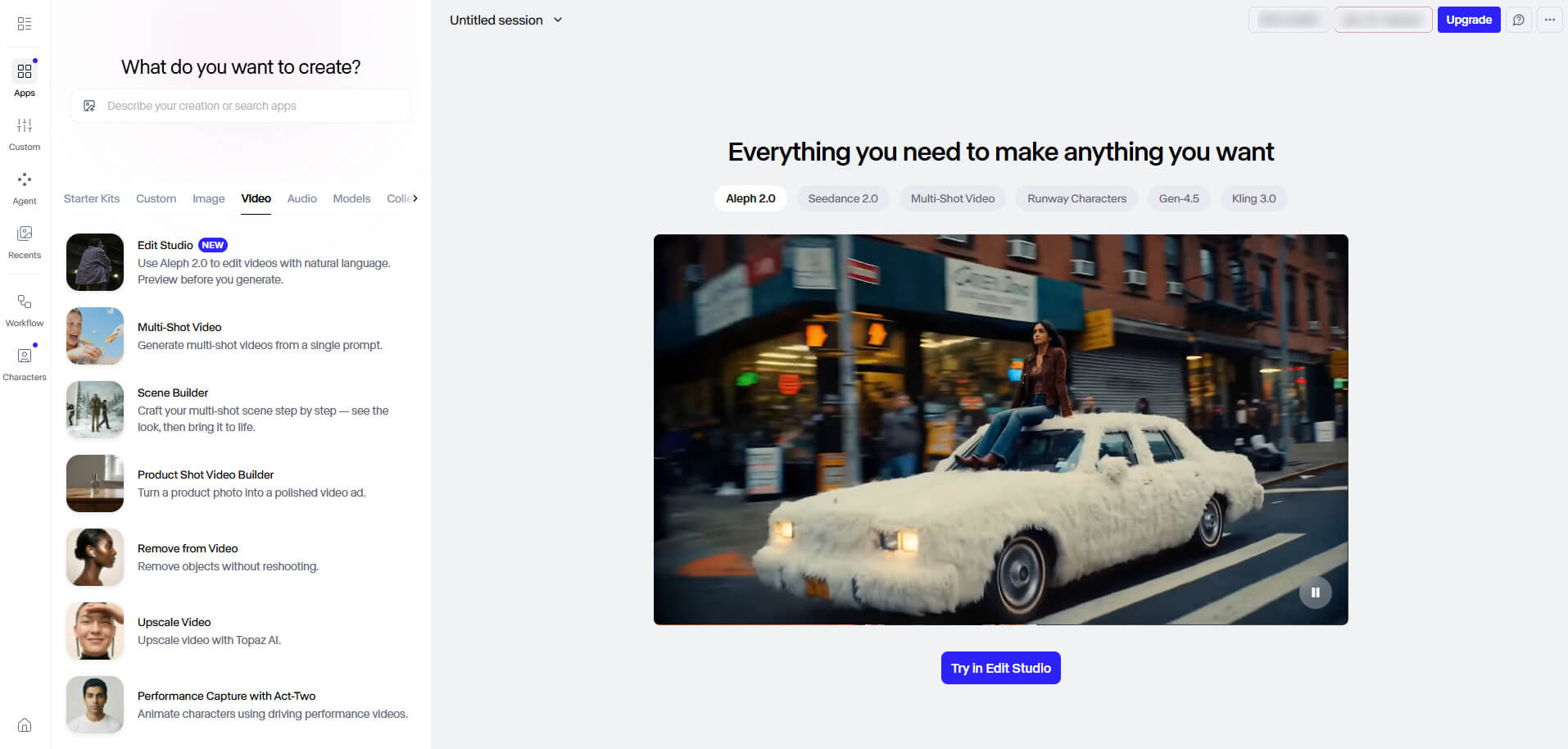
Runway ML is one of the most influential AI video generators from music and remains a benchmark for cinematic AI video quality. While many tools on this list are designed as dedicated free AI music video generators, Runway takes a broader approach, positioning itself as an AI filmmaking platform for creators who prioritize visual quality over music-specific automation.
What sets Runway apart is its focus on professional-grade video creation. You can generate videos from text prompts, animate images, create motion from photos, and explore a variety of AI-powered creative workflows. This flexibility has made it a popular choice among filmmakers, designers, agencies, and creators who want greater control over their visual output.
Runway's biggest strength is its ability to produce cinematic shots, realistic lighting, dynamic camera movement, and highly detailed scenes. For album teasers, promotional campaigns, concept videos, and experimental visual projects, the results can be genuinely impressive and often feel closer to film production than traditional AI-generated content.
The tradeoff is that Runway isn't built around music. Unlike most free AI music video generators, it doesn't automatically analyze songs, sync visuals to beats, or generate complete music videos from an audio track. Creators must manually assemble scenes and align visuals with music, which can add significant production time.
For creators seeking stunning visuals and maximum creative flexibility, Runway remains one of the strongest AI music video makers.
Pricing: Free tier is limited to project planning and visualization, while paid plans are required to unlock video generation credits and premium AI models.
Pros
- Outstanding cinematic video quality
- Highly realistic lighting and motion
- Strong creative flexibility
- Multiple AI video workflows
- Extensive customization options
- Rapid execution of abstract, surreal ideas
Cons
- No automatic song-to-video workflow
- Limited beat-sync capabilities
- Inconsistent prompt adherence
- Not for complex story videos
Key Benefits of Using Free AI Music Video Generators
AI music video generators transform how musicians create visuals. Instead of treating videos as a separate production step, these tools integrate visuals directly into the music creation process, saving time and unlocking new creative possibilities.
Faster Music-to-Video Production: Traditionally, producing a music video requires filming, editing, and post-production. A free AI music video generator allows artists to create complete videos in minutes, enabling visuals to accompany a song’s release without delay.
Music-Driven Visuals: Advanced generators analyze tempo, mood, energy, and song structure to produce videos that sync with the rhythm. Scene transitions, camera movement, and effects naturally follow the music, making visuals feel like an extension of the track.
Creative Experimentation: Multiple versions of the same song can be generated quickly, allowing artists to test cinematic storytelling, animated styles, or performance videos without extra cost or setup.
Multi-Platform Content: One track can become a full music video or short-form clips for TikTok, Instagram, and YouTube, maximizing audience reach.
Accessible for Independent Artists: No production team or editing skills are needed. Free AI music video makers lower the barrier to high-quality, music-driven videos, helping creators produce polished content efficiently.
One tool that brings all of these benefits together is Somio free AI music video generator. It excels at combining beat-aware visuals, story-driven creativity, and long-form HD output, making it a strong choice for independent creators.
What's the Best AI Music Video Maker?
The era of AI-generated music videos is here, and the tools we’ve explored show that creating visually compelling, music-driven videos is now faster and more accessible than ever. Free AI music video makers let you save time, experiment with multiple styles, and produce content that can also serve as material for further editing or repurposing.
These free AI music video generators cover a wide range of needs, from fully automated fast generation to highly customizable story-driven creation, allowing creators to find the right balance of speed, creativity, and control for their projects. Most offer free plans or trials, so you can explore them before committing.
For creators who value efficiency, high-quality visuals, and consistent output, Somio AI music video generator stands out. Whether you want narrative, mood-based, or performance-focused videos, Somio lets you turn your music into polished, rhythm-synced visuals in no time.
Try Somio free AI music video maker today and see how easily your music can come to life on screen.
FAQs about Free AI Music Video Generator
- Is there a free AI music video generator available without a watermark?
Yes, Somio free AI music video generator lets you quickly create music videos and export HD, watermark-free results, making them easy to publish on platforms like TikTok, Instagram Reels, or YouTube Shorts.
- Can I generate a free AI music video directly from an MP3 file?
Of course, Somio AI video generator from audio helps you upload MP3 or WAV files directly. It will then analyze your track's rhythm, BPM, energy shifts, and mood to automatically generate synced visuals in minutes.
- What are the best AI video generators for songs?
The best AI video generators for songs are music-focused tools that understand rhythm and energy. Somio free AI music video maker enables you to quickly create high-quality, watermark-free music videos up to 8 minutes long. Just upload your song, add a few prompt words describing the style or mood, and add a reference image. Somio will generate a polished, beat-synced video in minutes, ready to share on social media.
- What is the best AI video creator that makes video from listening to my songs?
Somio stands out as the best AI video creator for music because it doesn’t just overlay effects, it actively “listens” to your track. Somio creates AI music video by analyzing your song's BPM, intensity, and emotional shifts to drive scene changes, camera movements, and visual effects, generating synchronized, evolving visuals that follow the structure and energy of your song.
- Are the music videos generated by these AI tools royalty-free?
Somio music video generator lets you make an AI music video that is royalty-free and can be published directly on YouTube, TikTok, Instagram, and other social platforms. The videos are fully AI-generated, high-quality, and watermark-free, so you don’t need additional editing or licensing. This makes it easy to promote your songs, create shareable content, and reach audiences across multiple channels without worrying about copyright restrictions.
- What is the maximum length of an AI music video I can generate?
Somio AI music video creator supports songs up to 8 minutes, allowing you to create full-length videos that match your track. With Somio, you can make a music video with AI by uploading your audio, using the full song, or trimming specific sections you want to visualize. It then generates a synchronized video that stays aligned with your music throughout, ensuring consistent visuals even for longer tracks.
Curious about the output?
Watch the video demo below.