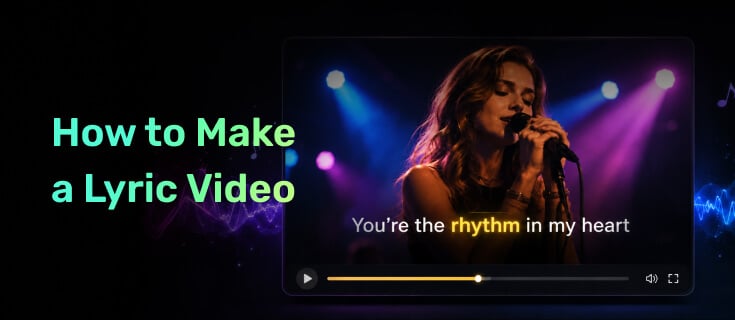
Struggling to make a lyric video that looks professional without spending hours editing? Whether you're promoting a new song or creating content for YouTube, TikTok, or Instagram, manually syncing lyrics and designing visuals can be time-consuming. Fortunately, AI lyric video makers can automatically generate, sync, and animate lyrics, helping you create polished videos in minutes instead of hours.
In this guide, you'll learn how to make a lyric video step by step and discover 4 powerful AI lyric video makers that can help you create high-quality lyric videos faster and more easily.
Let's move on.
Part 1. Why Make an AI Lyric Video?
AI lyric video is one of the simplest and most cost-effective ways to promote your music. Instead of spending weeks and thousands of dollars on a traditional music video, AI lyric video makers help you transform your songs into engaging visual content in minutes, helping listeners connect with your song and increase your reach across YouTube, TikTok, and Instagram.
More YouTube Engagement. AI-powered lyric videos add dynamic visuals, synced lyrics, and animations that keep viewers engaged while they listen, helping to improve watch time, interaction, and music discovery.
Better Music Promotion. Create more content around your release, including lyric clips and social media previews, to attract new fans across multiple platforms.
Lower Production Costs. AI lyric video maker eliminates the need for expensive equipment, filming crews, and complex editing software, allowing independent artists to create professional visuals with a smaller budget.
Faster & Easier Creation. AI lyric video generator automatically syncs lyrics, generates animations, and simplifies editing, helping you create polished lyric videos quickly — even without professional video editing experience.
With the right AI lyric video maker, you can spend less time managing production and more time focusing on your music, audience, and next release.
Part 2. How to Make Lyric Videos Online with AI?
Creating lyric videos used to involve hours of manual work, from syncing lyrics and editing timelines to designing animations. Today, AI lyric video makers simplify the entire process by automatically generating visuals and matching lyrics with music. This allows artists and creators to produce professional-looking lyric videos faster, with less effort and no advanced editing skills required.
However, not all AI lyric video makers offer the same features or results. Choosing the right tool can save you time, improve video quality, and help you create a professional lyric video with minimal effort.
Since every AI lyric video maker has different strengths, choosing the right one is essential. Below, we'll introduce the best AI lyric video maker first, followed by several popular alternatives to help you find the best fit.
Best AI Lyric Video Maker
Many creators still use traditional video editors to make lyric videos, but manually syncing lyrics, adjusting timelines, and creating animations can be slow and time-consuming.
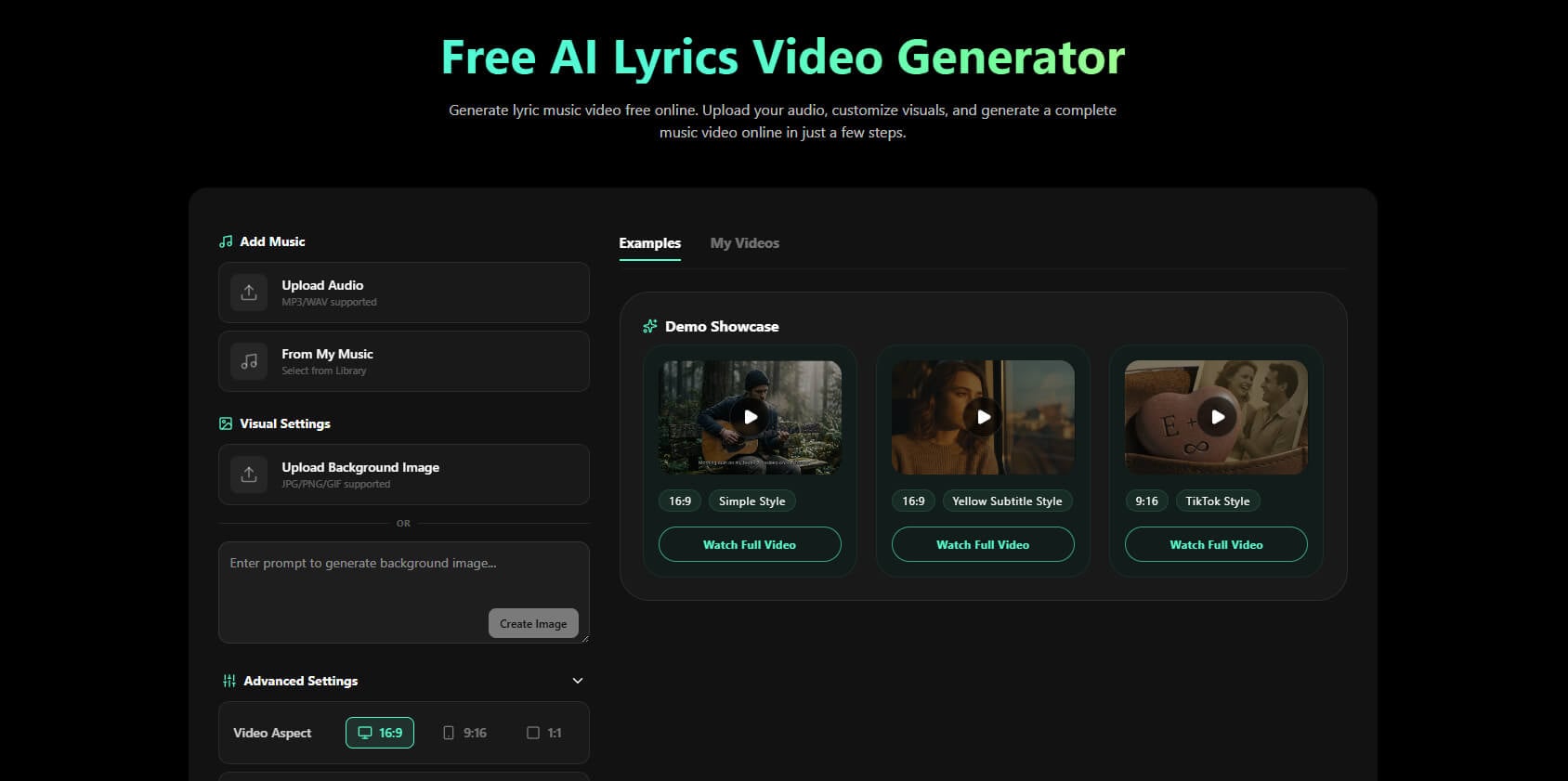
If you want a faster and easier workflow, Somio is one of the best AI lyric video makers to try. As an all-in-one platform for lyric videos, it lets you upload a song, automatically transcribe the lyrics from your audio, and create a synchronized lyric video without needing to prepare or upload lyrics separately. You can then add a reference image, customize fonts and animations, and export an HD video in just 1 click within seconds to minutes.
What sets Somio free AI lyric video generator apart is its balance of automation and creative control. With automatic lyric syncing, karaoke-style effects, and export options for YouTube, TikTok, Instagram Reels, and Shorts, you can create professional-looking lyric videos without complicated editing. Built-in AI songwriting and music tools also help you move from idea to finished video faster while saving both time and production costs.
- AI-generated visual backgrounds with customizable styles
- Automatic and precise lyric-to-beat synchronization
- Dynamic lyric animations and typography customization
- Real-time video style and element customization
- Animated GIF backgrounds with seamless looping effects
- Multiple aspect ratio support for every platform
- HD video export without watermark
- AI-powered lyric video creation without editing skills
- Create lyric videos from your AI-generated songs
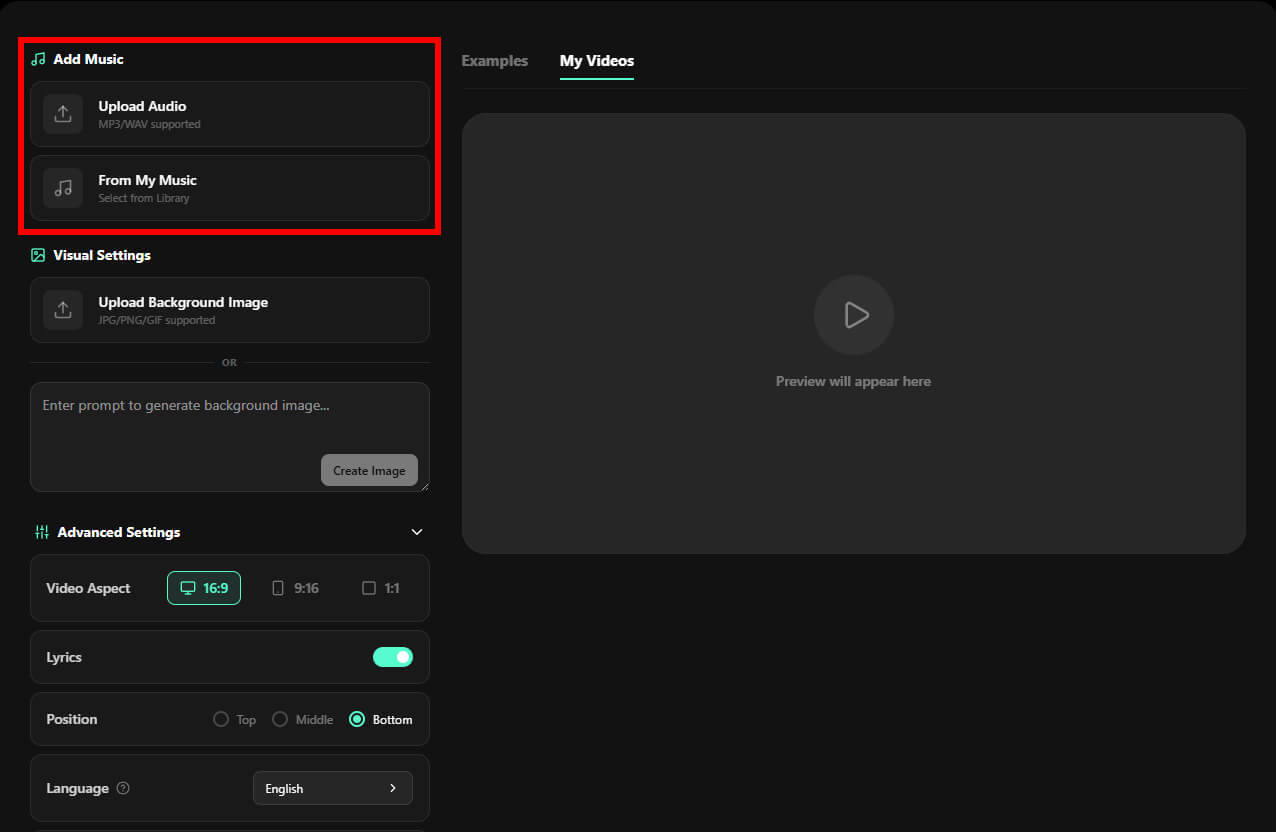
- Step 1Upload Your Audio File: First, upload your favorite song to Somio AI lyric video maker. The platform supports MP3 and WAV formats. If you've already created music inside Somio, you can also select tracks directly from "My Music."
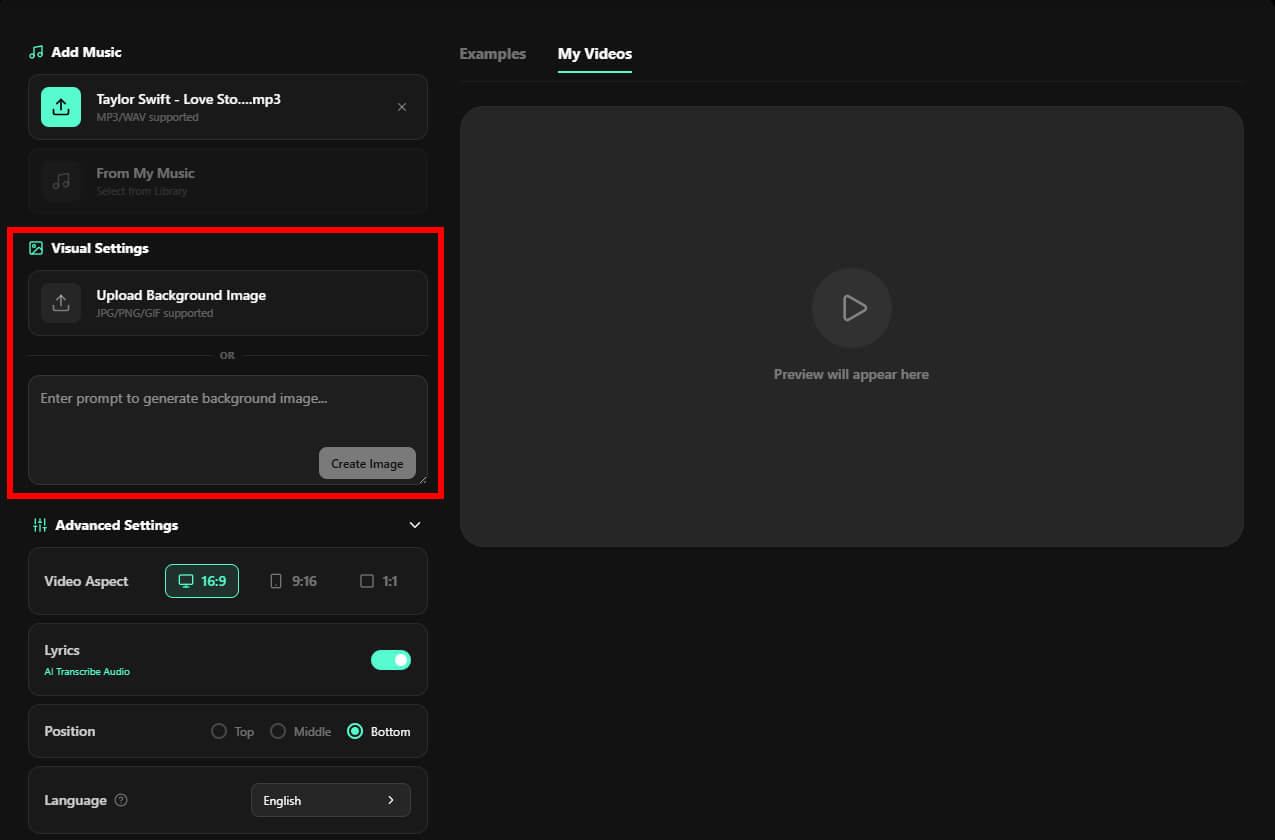
- Step 2Choose or Generate Your Background: You can upload your own JPG, PNG, or GIF files to maintain your existing brand style, such as album artwork, photography, or promotional visuals. If you don't have ready-to-use assets, simply describe your idea and Somio's built-in AI background generator will create unique visuals that match your song's emotion and style.
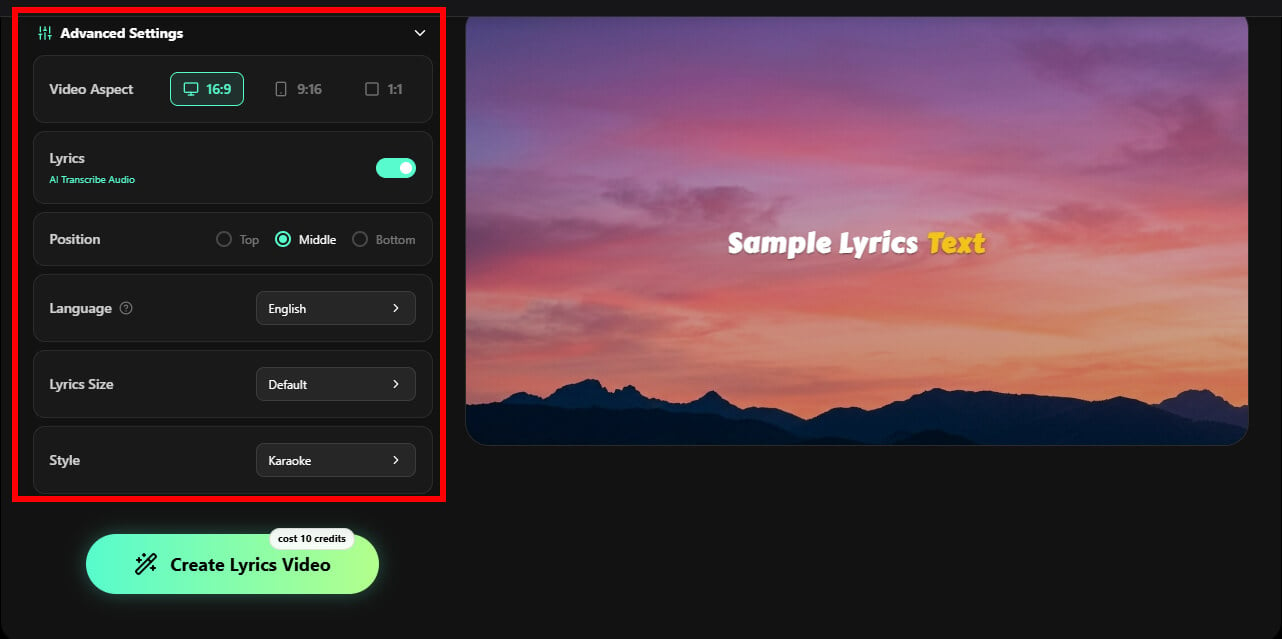
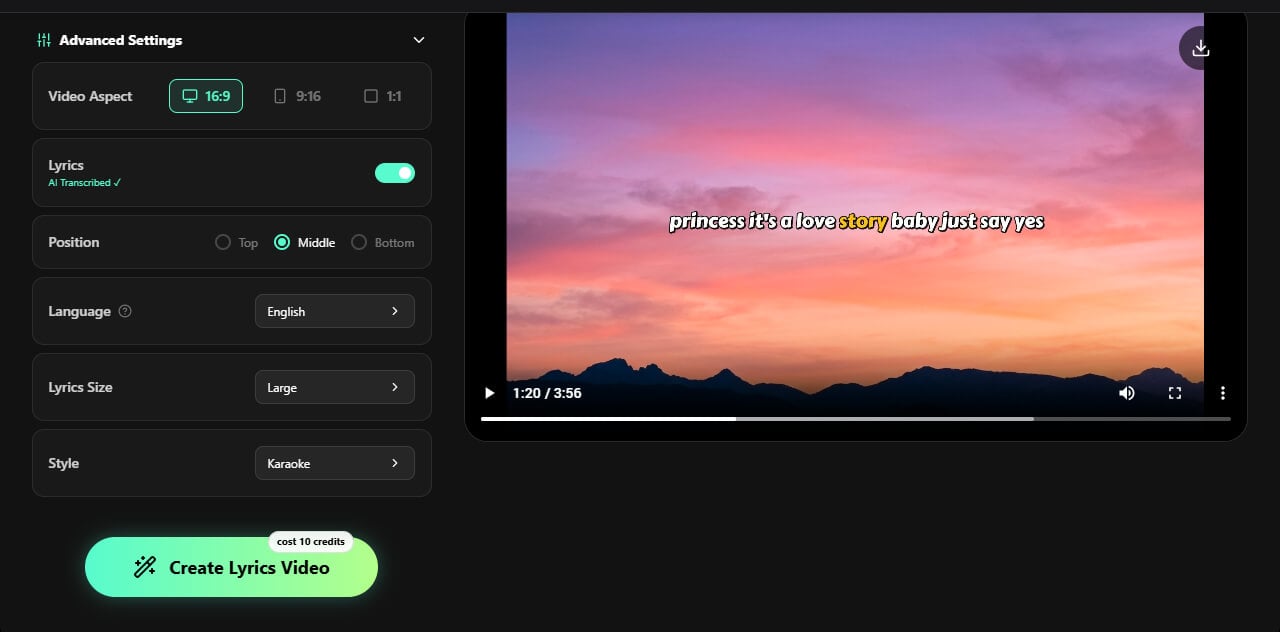
- Step 3Customize Your Lyric Video: Personalize fonts, animations, layouts, and aspect ratio with real-time preview to match your creative style. Somio simplifies the editing process by handling complex adjustments, helping you create polished, HD lyric videos ready to share without professional editing skills.
- Step 4Make Your Lyric Video: Once everything is ready, click "Create Lyrics Video." Somio free lyric video maker analyzes your music, lyrics, and visual elements to automatically generate a synchronized, polished lyric video in seconds to minutes. You can then preview, share, or download your music video instantly.
Bonus: No Lyrics or Music Yet? Let Somio AI Do Everything
Somio goes beyond a simple lyric video maker by supporting the entire creative process, from the first idea to the final music video. Whether you have lyrics without a melody, a musical concept without words, or just a creative inspiration, Somio helps you bring it to life with built-in AI lyrics generator and AI music maker tools.
Refine your ideas, create songs, and turn them into synchronized lyric videos without switching between multiple platforms. With additional tools like a music video generator, voice-to-song generator, and song remixer, Somio AI helps musicians, creators, and beginners bring their ideas to life with professional-quality music content.
Alternatives for Making a Lyric Video
1. Canva
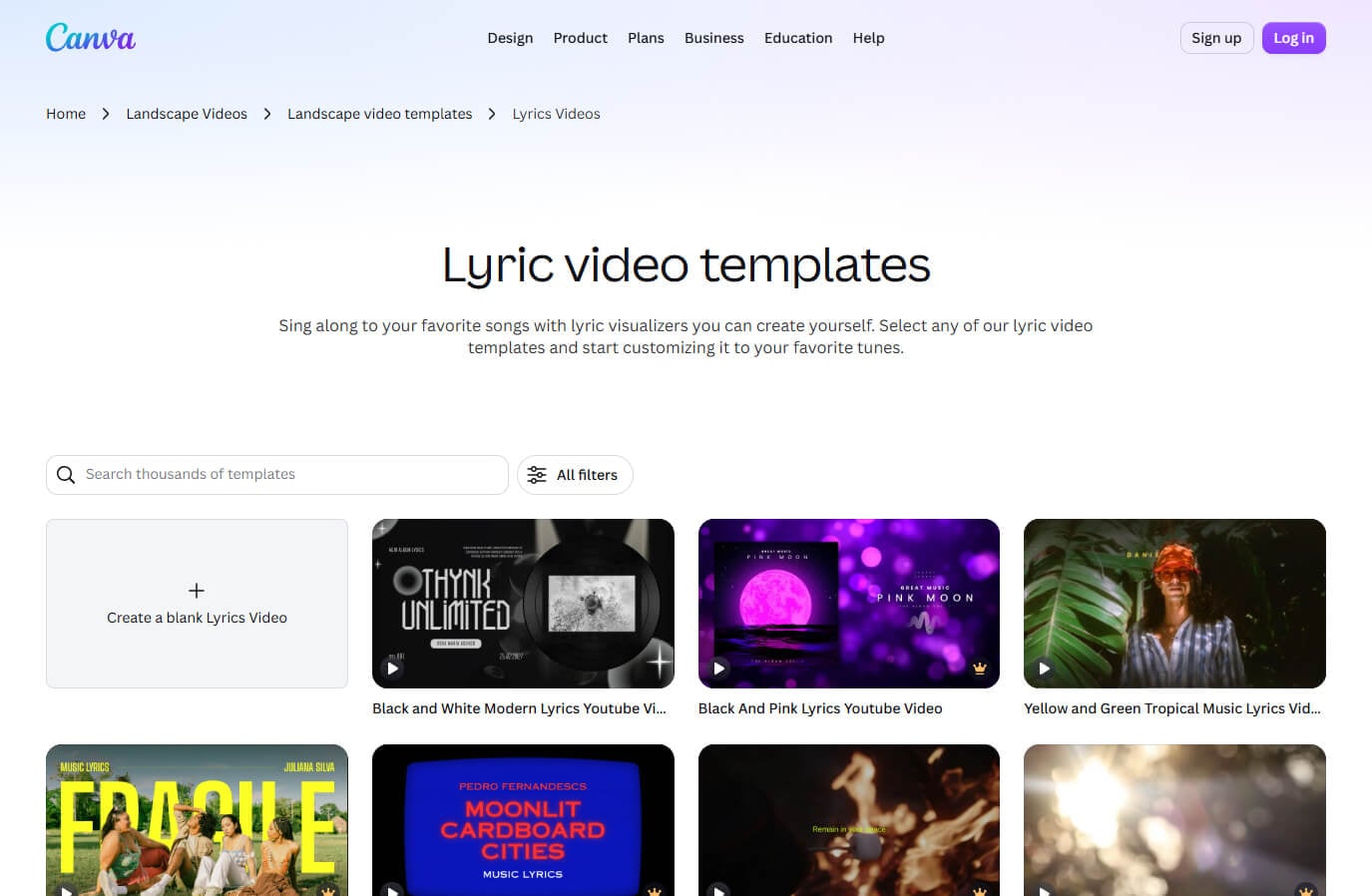
Canva lyric video generator is a beginner-friendly video design tool with hundreds of lyric video templates and allows you to create attractive videos through simple drag-and-drop editing. You can easily customize fonts, graphics, animations, and layouts without any design experience.
However, Canva focuses on visual design rather than automated lyric creation. Lyric timing, beat synchronization, and karaoke effects often require manual editing, making it better suited for users who prefer ready-made templates and customization over AI-powered workflows.
2. CapCut
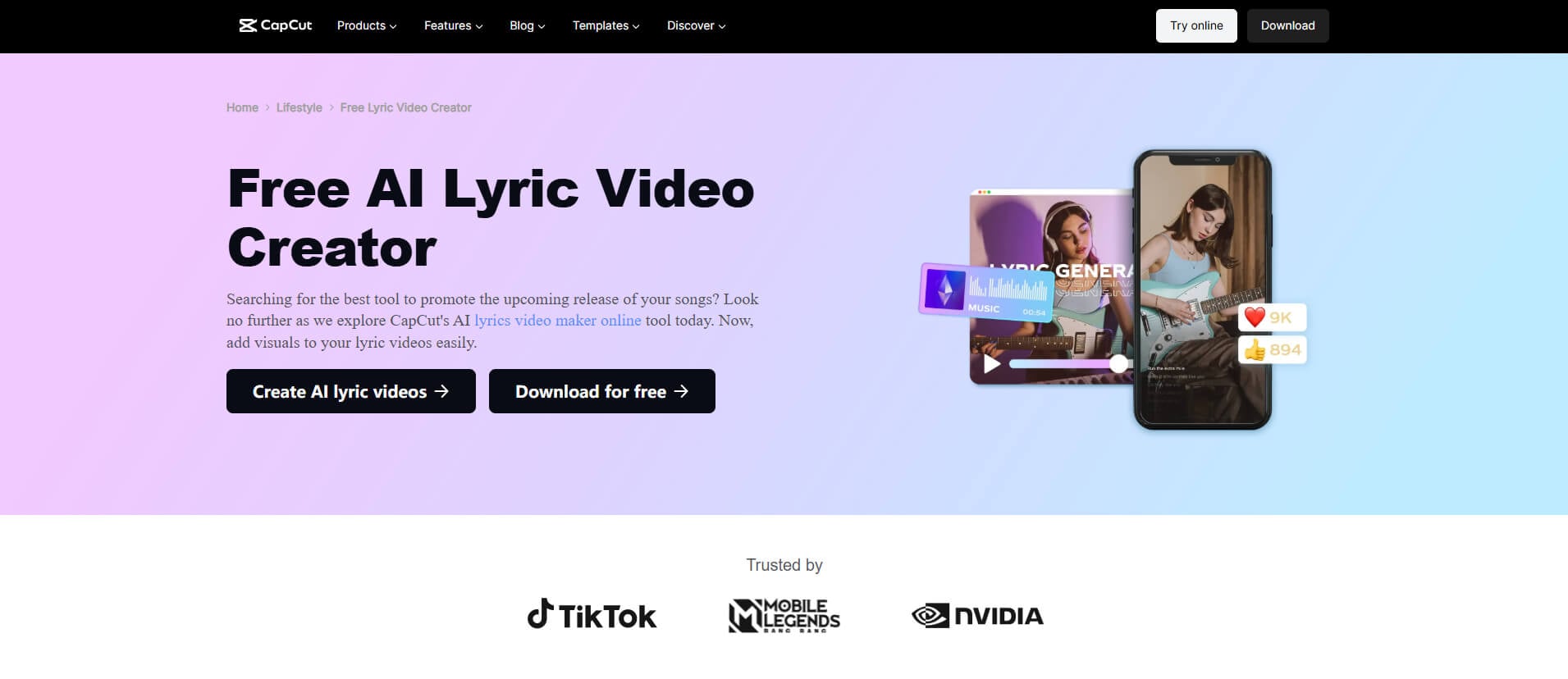
CapCut is a lyric video creator designed for creators who want to make lyric videos on the go, combining AI lyric detection with powerful editing tools. You can automatically generate synced lyrics, add text animations, effects, and transitions, then customize the timing and style. However, CapCut still requires manual adjustments for precise lyric syncing and advanced effects, so it works best for creators who want flexible editing control rather than a fully automated lyric video workflow.
3. VEED
VEED is an online lyric video maker that helps you quickly turn songs into lyric videos with AI-powered subtitle generation and flexible editing tools. You can upload your music, automatically generate lyrics, customize text styles, add branding elements, and optimize videos for platforms such as YouTube, TikTok, and Instagram without installing software.
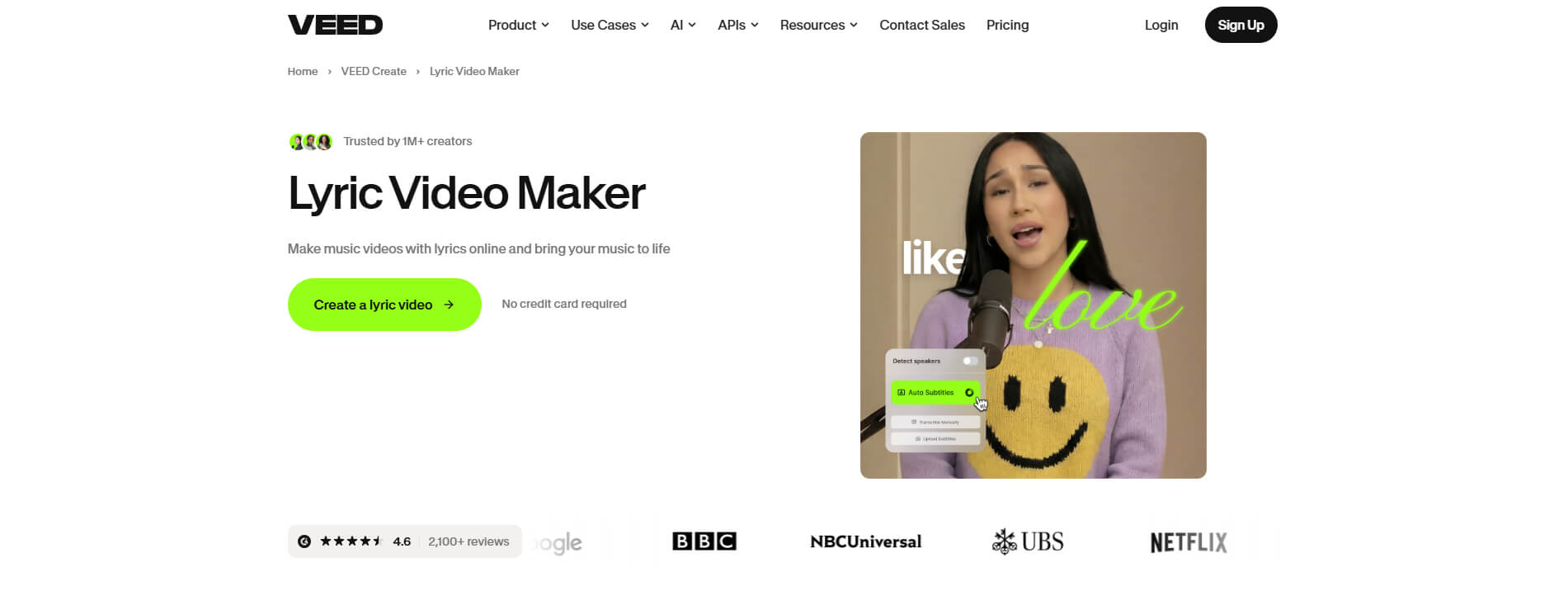
While VEED makes creating lyric videos faster with AI captions and online editing, it is especially suitable for creators who want to combine subtitles with flexible video editing. For those looking for more music-focused features such as advanced beat synchronization or specialized lyric animations, dedicated AI lyric video tools may offer additional creative options.
Part 3. Pro Tips on Making a Lyric Video
Want to create a lyric video that looks professional and keeps viewers engaged? Before you start making your lyric video, these simple tips can help you choose better visuals, improve readability, and create a more immersive experience for your audience.
Match Your Background With Your Music's Mood. Your visuals should complement the emotion of your song, not distract from it. A dark, cinematic background can enhance a melancholic track, while energetic songs may work better with dynamic, colorful visuals. Choosing the right background style helps your audience connect with both the music and the story behind it.
Use High-Quality Visuals. Even a great song can lose impact when paired with blurry or low-resolution visuals. Use HD images or smooth GIF backgrounds to keep your lyric video looking professional across different platforms. High-quality visuals create a better viewing experience and help your content stand out.
Make Lyrics Easy to Read. Lyrics are the focus of your video, so readability matters. Choose font styles, sizes, and text positions that match your background and music style. Clear and well-designed lyrics make it easier for viewers to follow along, especially on mobile platforms like TikTok and YouTube Shorts.
Sync Lyrics With the Rhythm and Emotion. Great lyric videos do more than display words — they make lyrics feel connected to the music. Use faster animations for energetic tracks and simpler, more static lyric styles for slower songs. Well-timed lyric movements create a more engaging experience and make your video feel more professional.
All Set to Create Your Next Lyric Video?
Creating a professional lyric video no longer requires advanced editing skills or complicated software. With AI-lyric video makers, creators can now turn songs into engaging visual experiences faster and with less effort.
Somio AI lyric video generator simplifies the entire process by combining AI music creation, lyric generation, background design, lyric synchronization, and flexible customization in one workflow. Whether you are an independent artist, content creator, or beginner, Somio helps you create professional-quality lyric videos with 1 click while keeping your focus on creativity.
From your first song idea to the final video release, the right tools can help you share your music with a wider audience. Start creating your lyric video with Somio today and bring your music to life!
Part 4. FAQs about How to Make a Lyric Video
- How to make a lyric video for YouTube?
To make a lyric video for YouTube, you need to combine your song, lyrics, visuals, and timing into one engaging video. With Somio AI lyric video generator, simply upload your song and a background image, and the AI will automatically transcribe the lyrics from your audio and synchronize them with the music. You can then customize fonts, animations, and visual styles before exporting your lyric video in YouTube-friendly formats like 16:9 or 9:16. This streamlined workflow helps you create professional-looking lyric videos in minutes.
- What is a lyric video maker?
A lyric video maker is a tool that helps you turn a song into a lyric video by combining music, lyrics, visuals, and animations. Instead of manually syncing every lyric line, the Somio AI lyrics video generator can automatically and accurately transcribe the lyrics of your song, match them to the music, and generate a polished video in minutes. This makes it easy for musicians, content creators, and beginners to create professional lyric videos without advanced editing skills.
- Can I make a lyric video for free?
Yes, you can create a lyric video for free using our AI lyric video generator. Simply upload your song and a background image, and the AI will automatically transcribe and synchronize your lyrics, allowing you to create a lyric video in just one click. You can also export your video in HD without a watermark, making it ready to share on YouTube, TikTok, Instagram, or other platforms.
- How to make a lyric video on your phone?
You can make a lyric video on your phone using Somio online free lyric video maker. Just upload your song from your phone, customize the background, lyric position, fonts, animations, and other visual settings, then let the AI handle lyric synchronization and video creation in minutes. Then, you can export and publish your lyric videos directly from your mobile device.
- Do I need video editing experience?
No. With Somio AI lyric video creator, you don't need any video editing experience. Just upload your track, customize the visuals, and let our AI add lyrics to video automatically while handling the video generation. Skip the steep learning curve of complex editing software and create professional lyric videos instantly.
- Can I make a lyric video with no watermark?
Yes, our AI lyrics video generator lets you export videos without watermarks, so your content looks clean and professional. You can publish your AI-generated lyric videos directly to YouTube, TikTok, Instagram, or other platforms, whether for personal projects or commercial use.
- How do I create an animated or karaoke-style lyric video?
With Somio AI lyric video maker, you can create a lyric video effortlessly. Upload your song, and AI will generate lyrics from audio and sync them with the music. Add GIF backgrounds, choose karaoke-style animations, and customize fonts, colors, and text placement to create engaging videos in minutes — no manual editing required.